

We are excited to announce the release of MultiProbe 7.9, the latest evolution of our cutting-edge product for broadcast service monitoring and infrastructure control.
Discover Enhanced State Display Capabilities
This new version introduces the innovative "Schemes" feature, enabling users to represent monitoring objects as schematic elements with visual status indicators. This enhancement simplifies the monitoring process, offering a clear visual overview of all system components and their current states, allowing for quick issue identification and resolution, reducing downtime, and improving overall infrastructure efficiency.
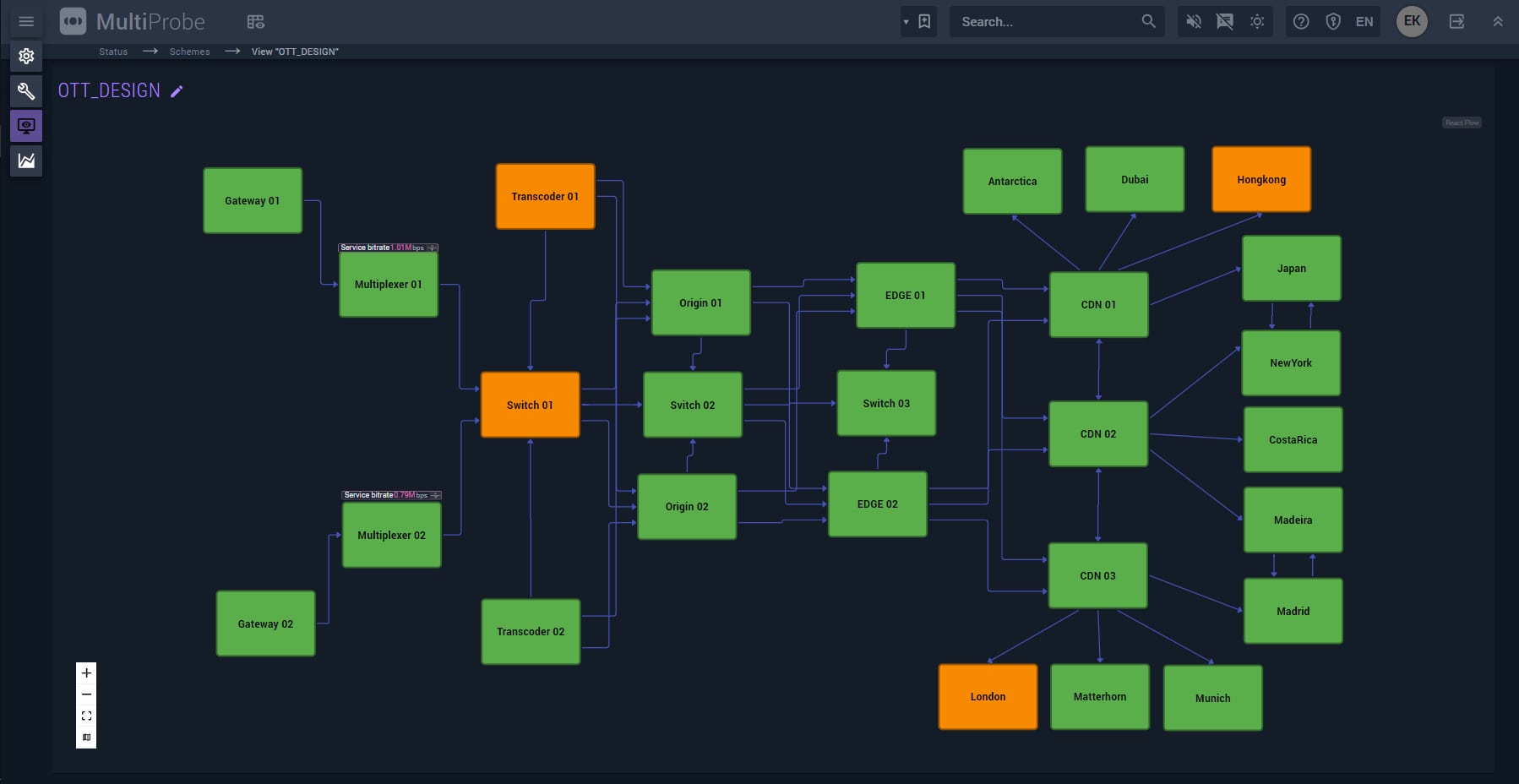 Fig. 1 – New "Schemes" feature
Advanced Indicator Configuration Editor
MultiProbe 7.9 expands user capabilities for signal display configuration on mosaics and video walls. Users can now differentiate between various types of alert events in alarm indicators and use multiple PPM (peak program meter) and UMD indicators in a single video service window. This allows for an enriched visual representation, displaying only the tracks relevant to audiovisual monitoring.
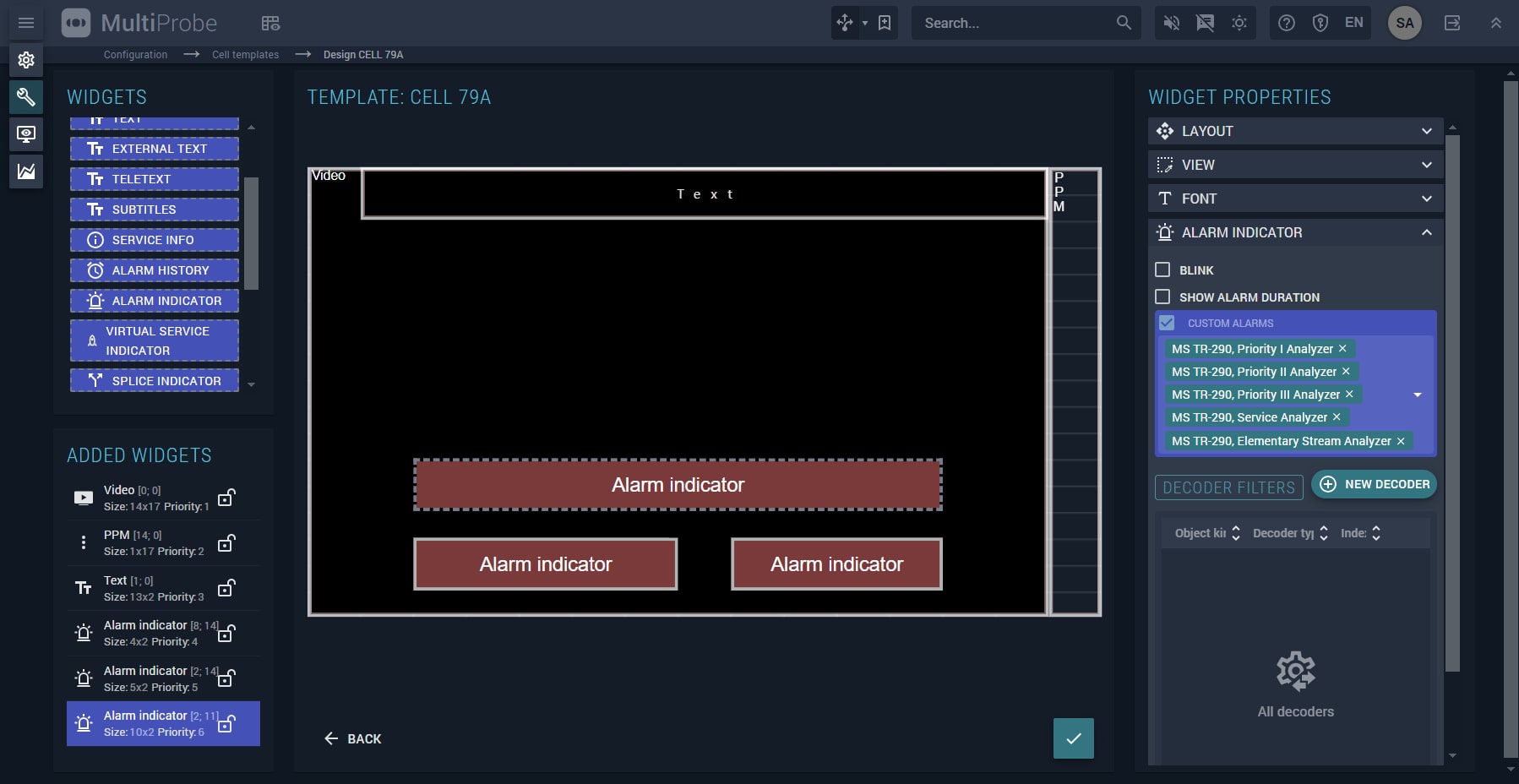 Fig. 2 – Indicator configuration editor
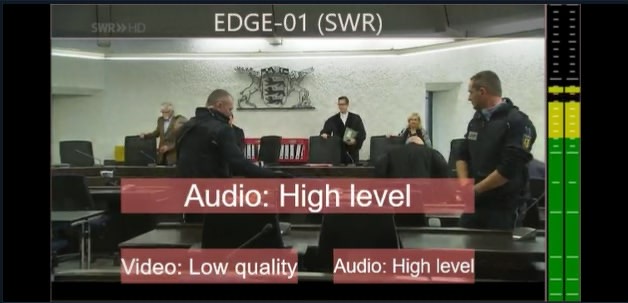
Fig. 3 – Multiple alert indicators in a single window
"We are thrilled to introduce MultiProbe 7.9. This new version significantly enhances the user experience and functionality of our product. The 'Schemes' feature is a major step forward in our mission to provide users with powerful and convenient tools for monitoring and managing their IT infrastructure."
Full List of updates in release 7.9:
New Functionalities:
1. Support for DekTec cards for DVB-S2 reception. The DTA-2127 card was integrated for this purpose.
2. Support for mosaic indication via the TSL v3 protocol through GPI.
3. Introduction of the "Schemes" feature for graphical display of monitoring objects and their connections with an integrated graphic editor.
Major Improvements:
1. Mosaic: Ability to add multiple UMD indicators to a single PIP for a monitoring object.
2. Mosaic: Ability to display multiple alarm indicators for one PIP object. Each indicator can be linked to a specific analyzer.
3. Mosaic: Ability to display multiple VU meters (PPM) for one PIP object. Each indicator can be linked to a specific audio track.
4. Alert Events: Faster display of alert events in the interface for real-time and statistical pages.
5. SCTE-35/104: Enhanced widget for displaying 35/104 markers, allowing column configuration including "colored" markers from XML data.
6. Object Viewing: Added quick object viewing by types.
Optimization:
1. Fixed auto-cleanup script in the database, considering free space checks during updates.
2. Enabled multiple task execution in db-agent to speed up auto-cleanup.
To learn more and test the new version, contact your personal manager or request it at info@stream-labs.com

































































