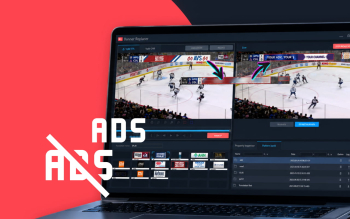


When a broadcaster takes in an external live feed, the frame often arrives with advertising already in it: perimeter boards at sports venues, partner graphics, sponsor overlays, or branding from the event organizer.
You can't manage that placement, and you don't earn from it. Yet it takes up ad space in the frame — space that in many markets is capped by advertising regulations.
VAdBrush addresses this: it detects unwanted ad banners in the incoming SDI signal and replaces them in the live output. According to Stream Labs customers, it frees up to 5 minutes of additional ad time per hour.
Where your ad minutes go
Say your channel receives a sports match with foreign perimeter advertising and partner graphics embedded in the feed. In many markets, on-screen overlays count toward regulated limits on airtime and screen area — and they can clash with your own sponsorship deals and exclusivity agreements.
Embedded third-party advertising eats into inventory you could be selling yourself, and adds compliance risk on top.
This typically comes up when working with external live content:
- sports broadcasts;
- international matches and tournaments;
- concerts and festivals;
- partner feeds;
- signals from foreign rights holders.
Up to 5 minutes of ad time back, per broadcast
VAdBrush is a hardware and software solution that masks graphic advertising in live broadcasts.
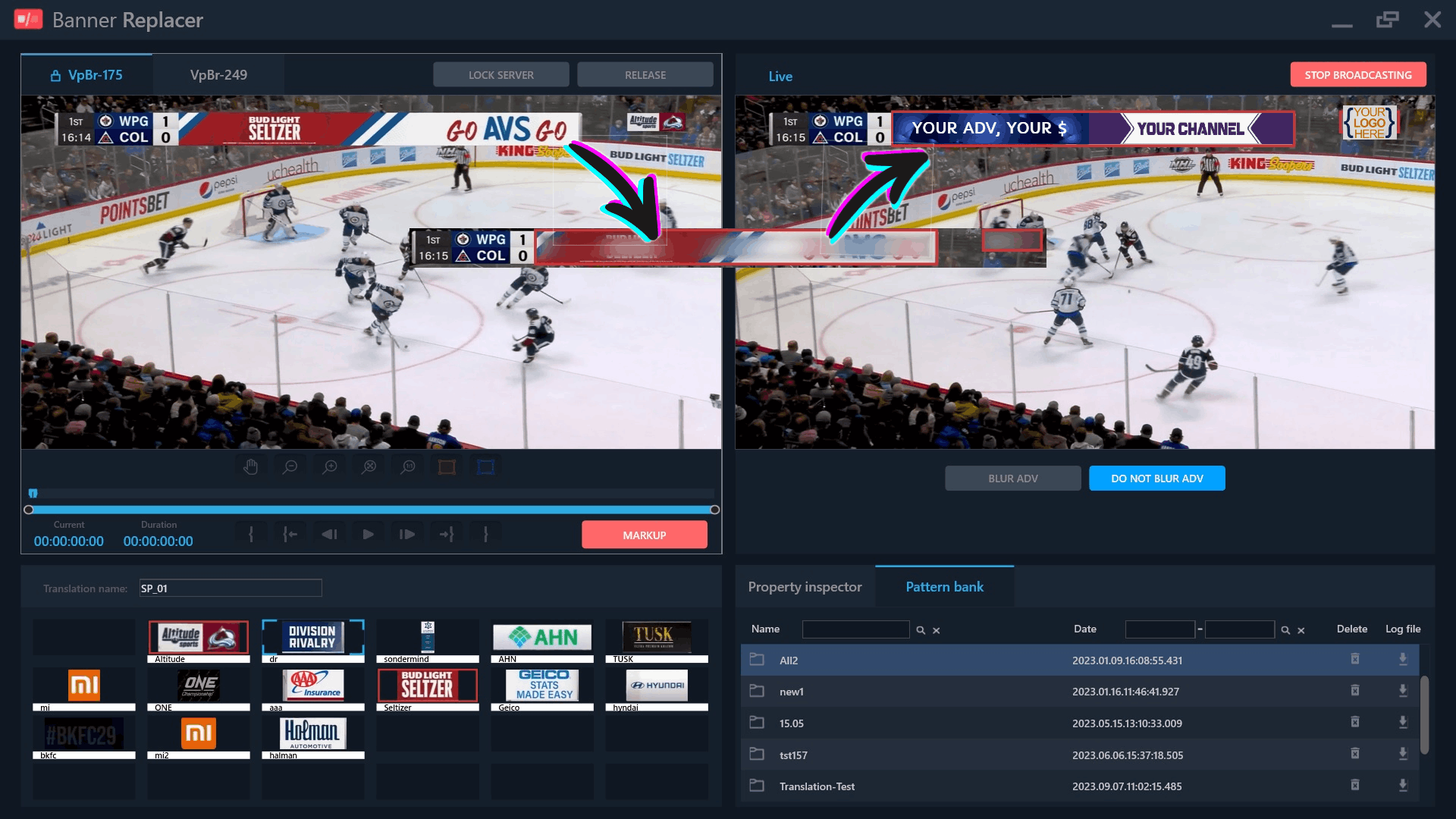
It works with the incoming SDI signal, detects pre-defined ad patterns, and either blurs the banner area in the output or replaces it with a banner of your own.
In our customers' experience, hiding sponsor graphics and embedded advertising during a single sports broadcast frees up to 5 minutes of additional ad time. Sixty minutes of reclaimed airtime is enough to pay back the cost of the system.
The cleared area can carry a neutral overlay, a channel branding element, or a slot reserved for an approved placement — whatever fits your on-air policy.
How it works
The solution is built around patterns.
An operator marks up an ad banner in the system interface: selects the area where it appears, sets the in and out points, adds tags, and saves the pattern to the archive.
Patterns can be grouped into banks for a specific project — a broadcast season, a sport, a region, a rights holder, or a series of events. This speeds up matching and reduces the load on the analytics module.
During a live broadcast, the analytics module compares the incoming video against the selected pattern bank. On a match, it passes the banner zone data to the output module, which replaces that area in the outgoing signal.
The operator monitors both input and output: the original feed, the processed result, and any new patterns can be added on the fly.
Why it matters for broadcasters
You take back control of the ad zone
A third-party banner occupies space you never sold and never planned to use. VAdBrush removes it from your output so you can manage the frame on your own terms.
Commercial risks become manageable
Advertising from another market or partner can conflict with your commitments, exclusivity deals, or placement rules. Replacement reduces the risk of unauthorized exposure.
Your ad inventory works harder
Ad time and screen space are finite. The less of your output is taken up by third-party elements, the more room you have for your own branding, promos, and approved placements.
The live broadcast stays intact
The system runs in real time and keeps video and audio in sync on the SDI output. To the viewer, the broadcast looks seamless — no manual switching, no visible intervention in the signal.
What the operator sees
The operator works in a client application with several key areas:
- an input monitor for the original feed;
- an output monitor for the processed signal;
- a pattern editor with video navigation;
- a pattern archive with tags and search;
- pattern banks for the current broadcast;
- SDI interface selection;
- hotkeys for fast operation.
If a banner appears on air that isn't in the archive, the operator can pause the buffered video, mark it up, and send the new pattern into processing. The system then returns to the live input view.
Which banners it handles
VAdBrush is designed for graphic ad elements that appear in the incoming live signal intermittently but have a recognizable visual form:
- static banners;
- banners with fade transitions;
- elements that enter from the edge of the frame;
- banners with an embedded video area;
- ad curtains and lower-third graphics.
One important note: the system works by pattern recognition. A banner must be marked up in advance or added by the operator during the broadcast, and it needs to stay in the frame long enough for reliable detection.
Technical specifications
VAdBrush is a solution for the SDI chain.
It processes live broadcasts in SDI HD up to 1080i50. Detection runs against the selected pattern bank. The output is an SDI signal with processed video and synchronized embedded audio, with a total delay of up to 1.5 seconds.
VAdBrush is not a universal filter for any video source. It's a specialized tool for broadcasters who need to control ad elements specifically in the incoming SDI signal of a live broadcast.
When to consider VAdBrush
The solution is a good fit if you:
- regularly take in live feeds from external rights holders;
- work with sports broadcasts, concerts, or international events;
- deal with third-party ad banners in the frame;
- want to reduce the risk of unauthorized ad exposure;
- want to use screen space according to your own on-air policy;
- run an SDI infrastructure and need signal processing before playout.
Control over the frame is control over your air
In a live broadcast, you don't always control what arrives in the incoming signal. But you do control what goes out.
Get in touch — we'll walk you through how VAdBrush fits into your SDI chain and which replacement scenarios suit your broadcasts.