

MAM and News cover the full content workflow, from ingest to air. In a newsroom, that workflow sets the pace of every bulletin: the faster journalists find footage and build stories, the fewer errors and late items make it to air.
Version 26.09 focuses on how teams organize and find their media. You can now define your own folder structure and metadata fields, so the library reflects your programs, topics, and workflows. An asset can live in as many folders as you need while the file itself is stored only once.
Want to see how it fits your media library or newsroom workflow? Get in touch, and we’ll walk you through a live demo.
Virtual folders
MAM now supports virtual folders for media, stories, and rundowns. Organize them by program, reporter, topic, or project.
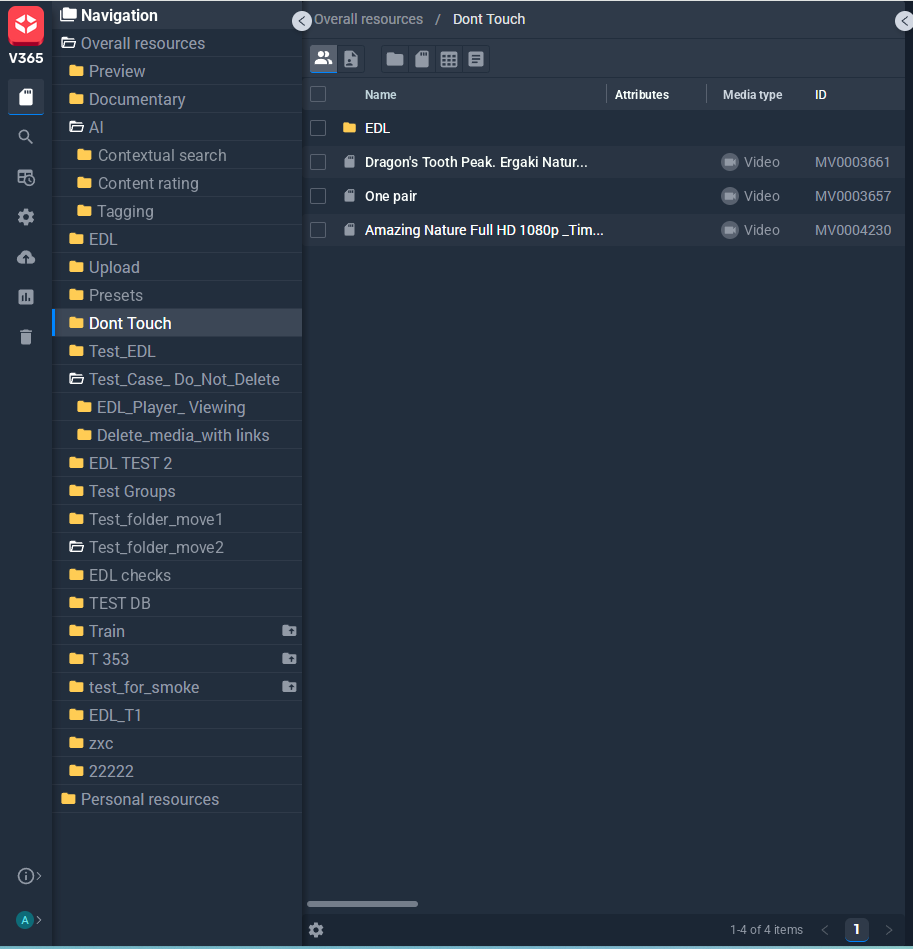
An asset can sit in several folders at once. An interview, for instance, can appear in both a program folder and a topic collection. Because only one copy is stored, adding it to another folder uses no extra storage.
Editors see the same folder structure in the Adobe Premiere Pro panel and can pull footage without leaving the timeline.
Custom metadata fields
Decide what information you track for each asset. Add fields such as reporter, shoot location, or usage rights, and search by them.
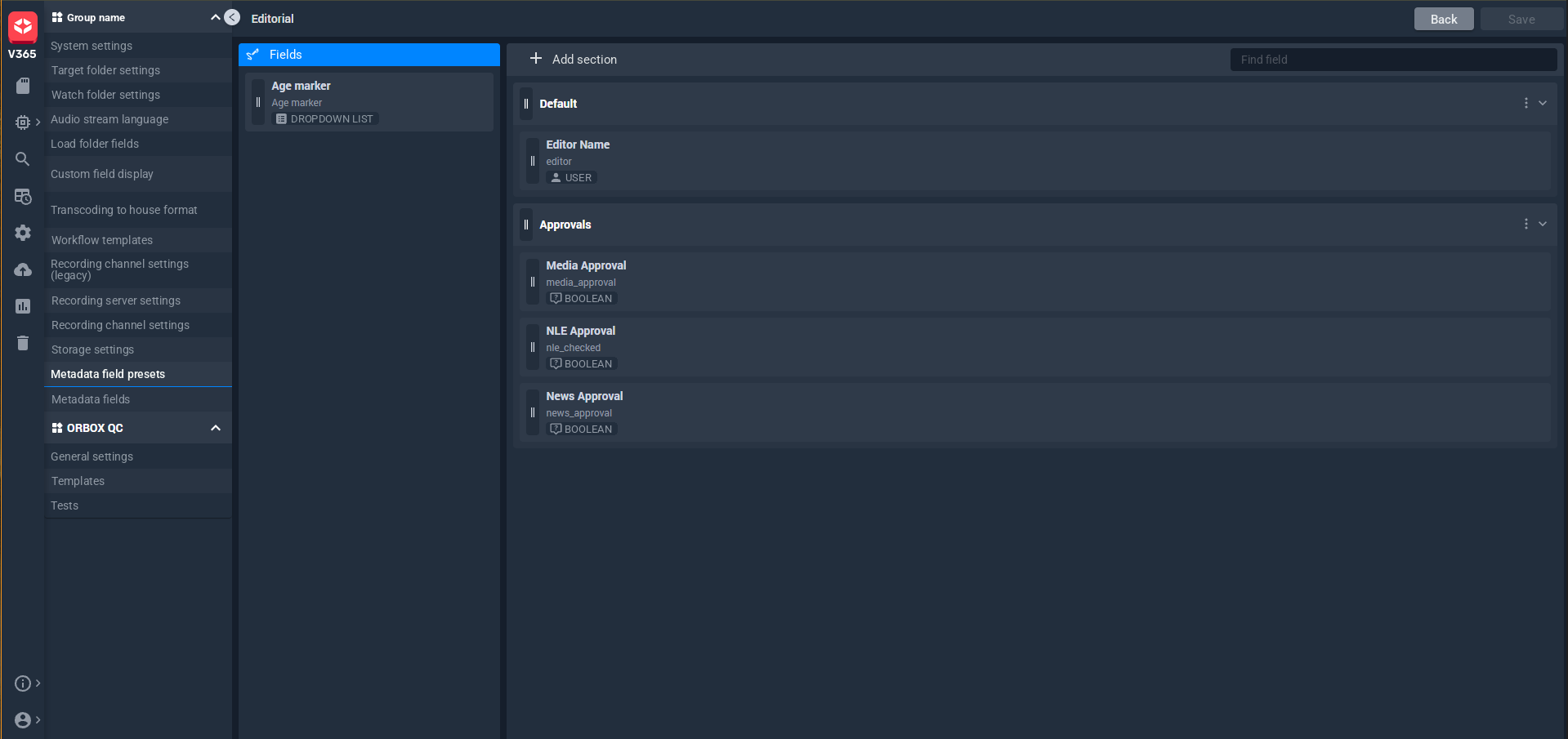
Group custom fields into metadata presets for news, archive, or production, so each team logs assets its own way.
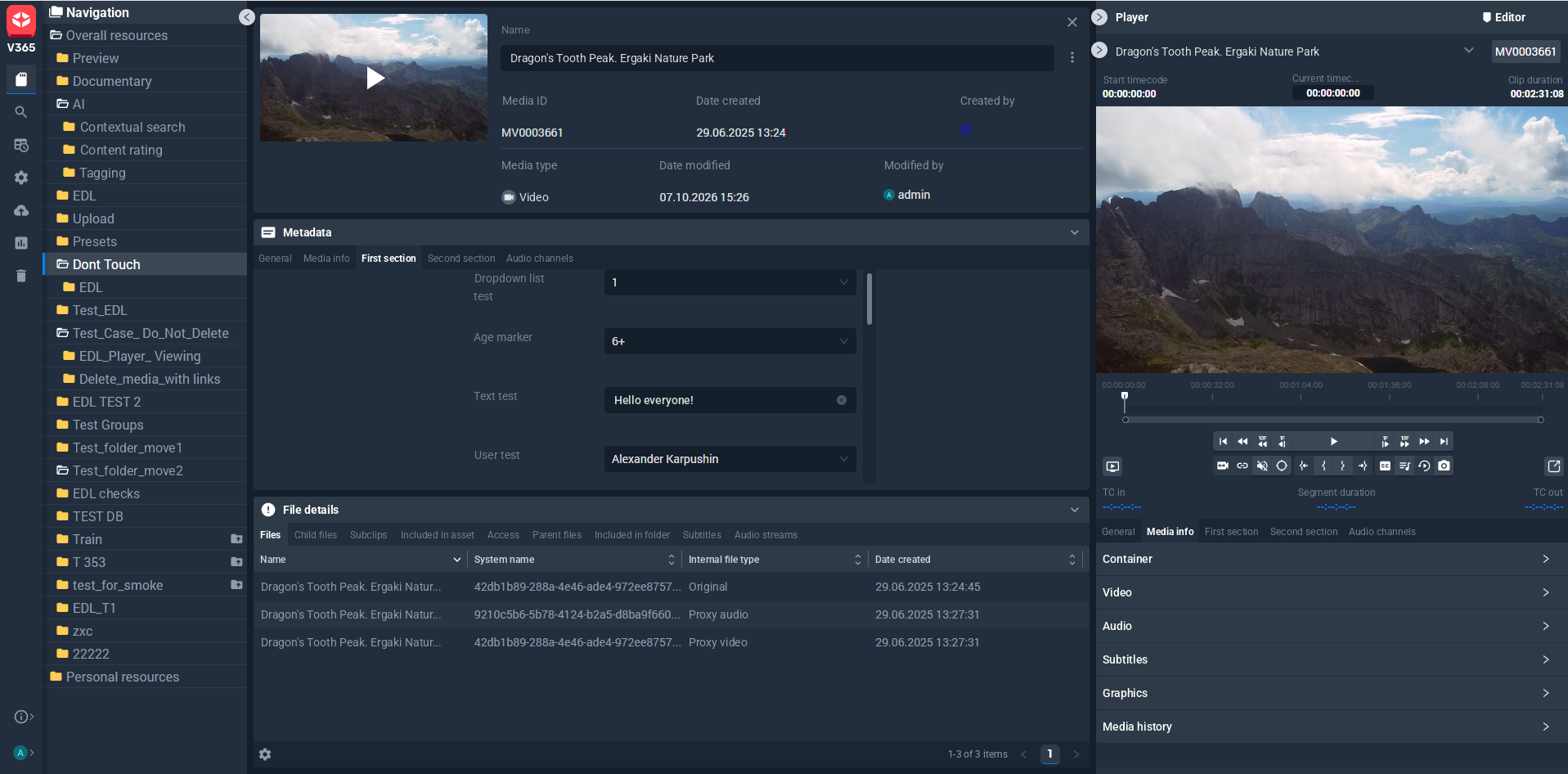
The asset details panel now has separate tabs for description, file info, subtitles, and audio tracks.
All content types in one library
Beyond video and audio, MAM now ingests photos, subtitles, documents, and Premiere Pro projects, so source footage and supporting files stay together.
Video: MP4, AVI, MPG, MOV, H.264, MPEG Video, DV, WMV
Audio: WAV, MP3, AAC, AC3, M4A, WMA
Images: BMP, PNG, GIF, JPEG, TGA
Subtitles: SRT, STL
Data: XML, VANC
Documents: DOC, PDF, TXT, XLS, XLSX
Premiere Pro projects: PRPROJ
New in 26.09: WMV and WMA support, plus ingest and playback for VOB, RLE and Motion JPEG video, and HEVC HDR.
MAM now handles files with 16 audio channels and no longer limits the number of audio tracks per file. Bulk ingest is more reliable, and web uploads are faster.
Edit while ingesting
Growing-file support has been extended, so teams can work with footage while it is still recording. A proxy is generated automatically, and the system tracks the current duration as the recording grows.
In News, story timing now includes media duration. We have also improved story templates and the planning calendar, and added HTML export for rundowns.
See 26.09 in action
Book a demo of MAM and News 26.09. We’ll show you how to set up your folder structure and metadata, and how archive, newsroom, and editing teams share one library.