CAS Monitoring
Symptoms of CAS malfunction
CAS (Conditional Access System) problems typically manifest as:
- Scrambled services that no longer descramble on subscriber devices (may affect some devices or services but not others)
- Services that should be scrambled transmitting in the clear
- Intermittent access — a service accessible for one minute, unavailable the next
These symptoms can also be caused by other problems (CCE errors, CAT errors, network issues). Before concluding CAS is the cause, rule out other errors first.
Preliminary checks before contacting the CAS provider
TS Analyzer provides preliminary diagnostic tools for CAS streams compliant with the Simulcrypt standard (ETSI TS 103 197). For non-Simulcrypt CAS implementations, these tools may have limited applicability.
Step 1: Verify no CCE errors on CAT, ECM, and EMM PIDs
Open the statistics view and check the continuity counter on PID 1 (CAT) and the ECM/EMM PIDs for the service. CCE errors on these PIDs indicate that the CAS stream is being corrupted before it reaches subscriber devices — fix the transport first.
Step 2: Check for ECM/EMM bitrate spikes
Review the ECM and EMM PID bitrates for sudden spikes. Use the bitrate timeline graph on the relevant PIDs.
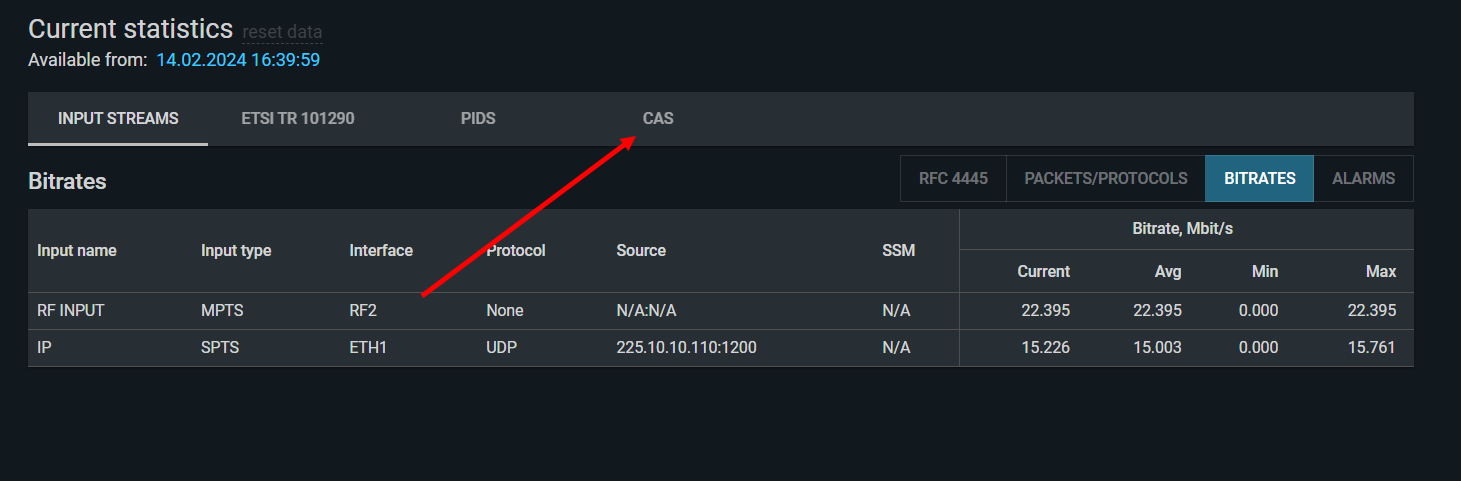
Step 3: Access the CAS monitoring screen
The CAS monitoring button is located in the service statistics panel:
Step 4: Check the CAT
Verify that the CAT is present (no CAT_error active) and that it correctly references the EMM PID for the CAS in use. See 2.6 CAT_error.
CAS diagnostic screens
Per-service CAS statistics
In the service view, the CAS panel shows the CAS ID (CA_system_id), key rotation period, and whether the service is scrambled or clear:
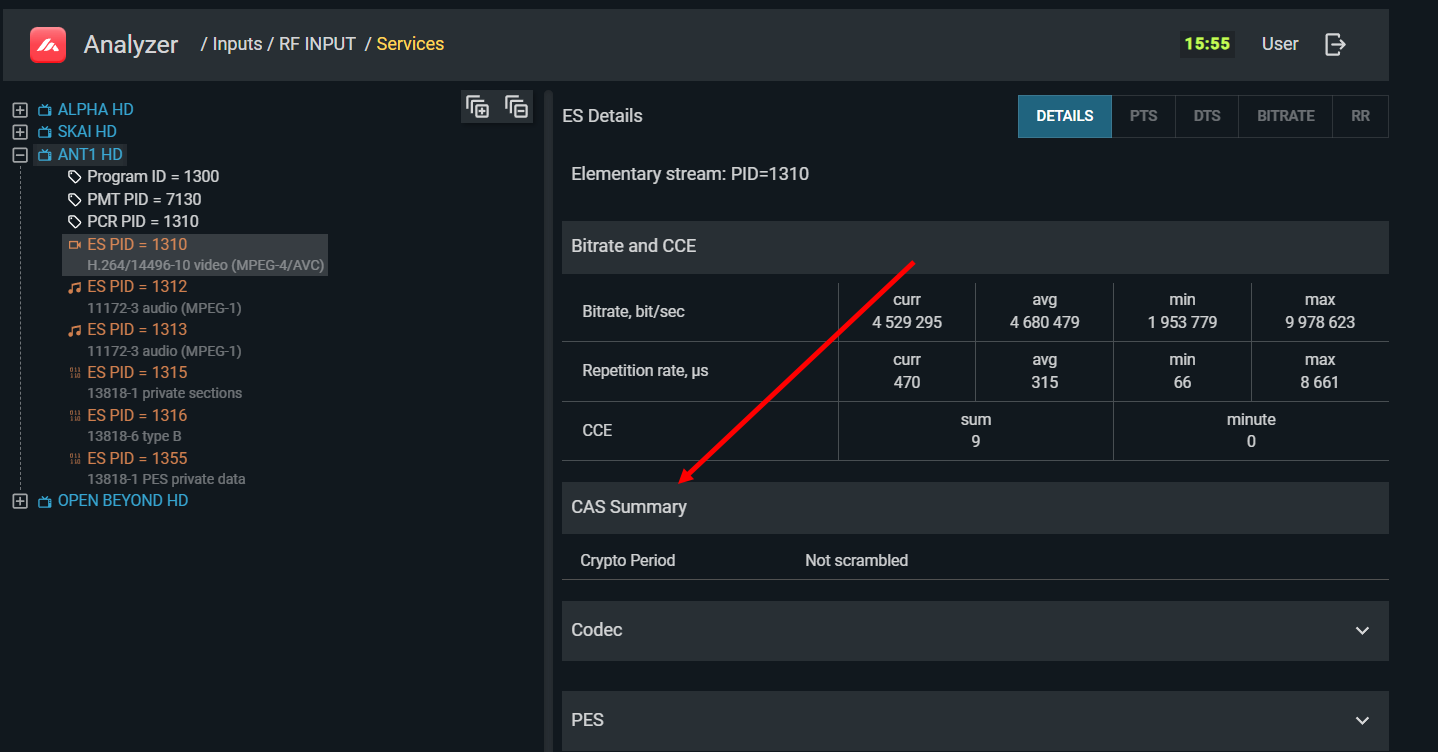
If CAS is absent on a service that should be scrambled, the panel will indicate no CAS present. If the CAS ID does not match the expected system, the wrong CAS configuration is likely.
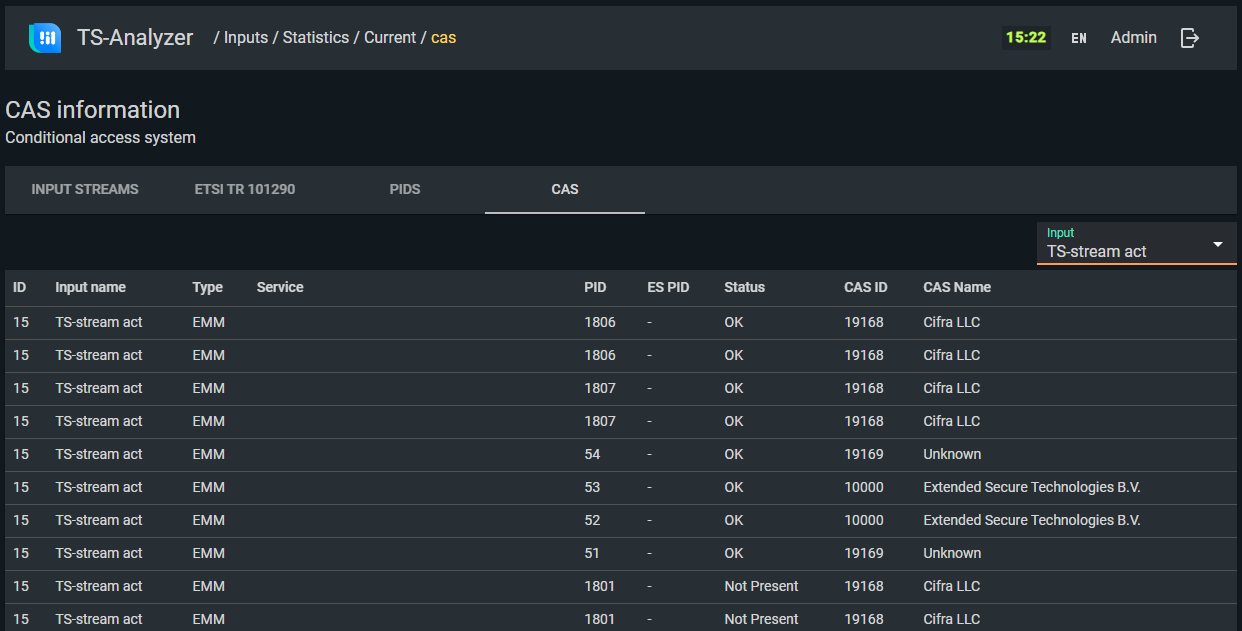
Global CAS statistics
The global CAS view shows all CAS components detected in the current stream. Use this screen to verify all expected ECM and EMM streams are present and that the scrambler is actively generating ECM streams:
Scrambling status in the service tree
The service tree view indicates which component PIDs are scrambled (indicated visually in the interface). You can use this together with a subscriber device that has a valid subscription to verify: are the scrambled channels actually inaccessible to an unauthorized viewer, and are the open channels genuinely unscrambled?
Working with CAS providers
CAS is built on encryption that is intentionally opaque — the full key management process is confidential. TS Analyzer can confirm that CAS streams are being transmitted correctly and consistently, but it cannot determine whether the content of ECM and EMM streams is correct without knowledge of the CAS implementation.
For definitive CAS fault determination, you will need to involve the CAS provider's technical support. Before doing so, use TS Analyzer to document:
- Which services are affected
- Whether CCE errors are present on the affected PIDs
- CAS ID, ECM PID, and EMM PID for the affected service
- Whether the problem is permanent or intermittent (and its pattern)
- Screenshot or export of the global CAS statistics screen
Most CAS providers have SLAs defining the escalation procedure for this type of issue.