EPG / EIT Monitoring
EIT structure
The Electronic Programme Guide is transmitted in EIT (Event Information Table) sections on PID 18 (0x12). EIT has two variants:
- EIT_actual (table_id 0x4E and 0x50–0x6F) — EPG for services in the current TS.
- EIT_other (table_id 0x4F and 0x60–0x6F) — EPG for services in other TSes in the network.
EIT_actual must contain two specific sections that are mandatory:
- Section 0 (table_id 0x4E) — current program information ("now")
- Section 1 (table_id 0x4E) — next program information ("next")
Future program schedules (table_id 0x50–0x6F) are optional.
Checking EPG content
The EPG screen displays received EIT content organized by service and section type (current, next, future):
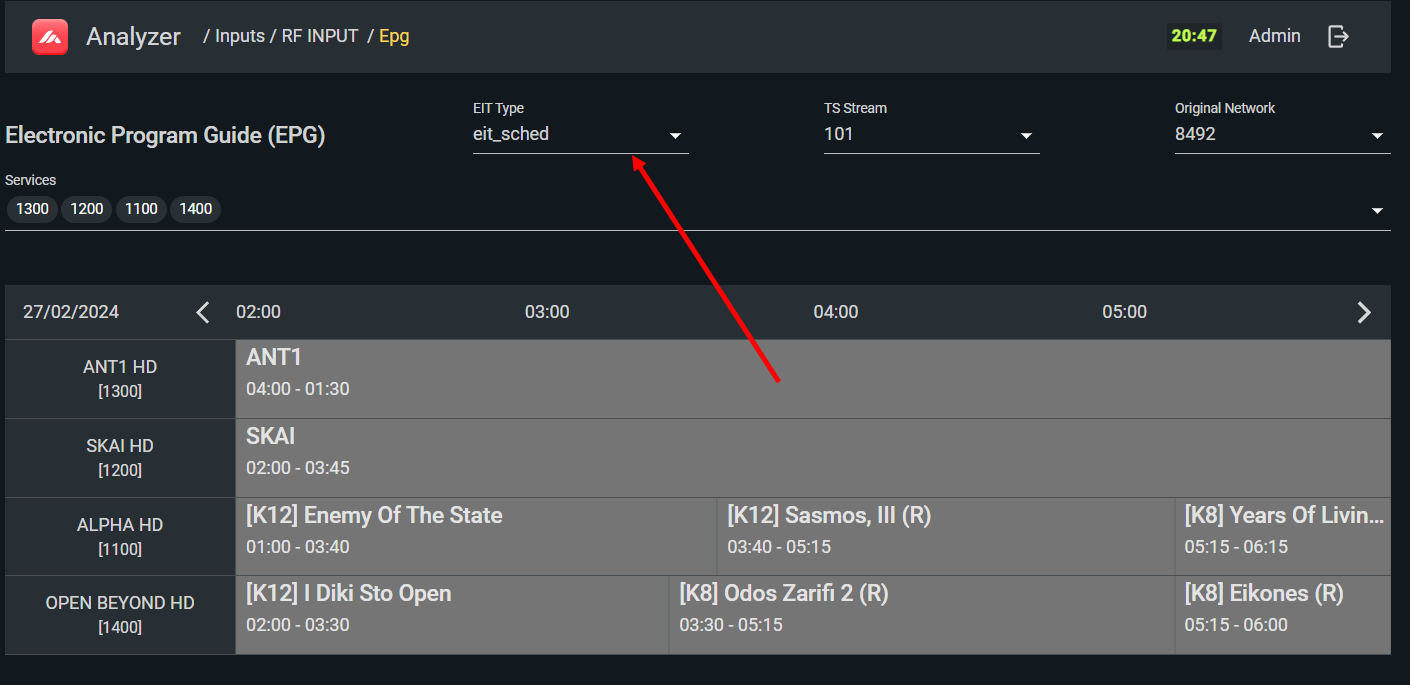
Use this screen to verify program titles and times are correct and current, check which EIT_type (section) is missing when EPG is incomplete on subscriber devices, and confirm section 0 and section 1 are both present (required by standard).
Diagnosing EPG problems
EPG failures typically manifest as one or more of: missing program information, incorrect times, wrong program names, or EPG not loading at all on subscriber devices.
Step 1: Verify TS ID and Network ID consistency
The EIT must carry the correct TS_ID and Original_Network_ID for the stream it describes. To check:
-
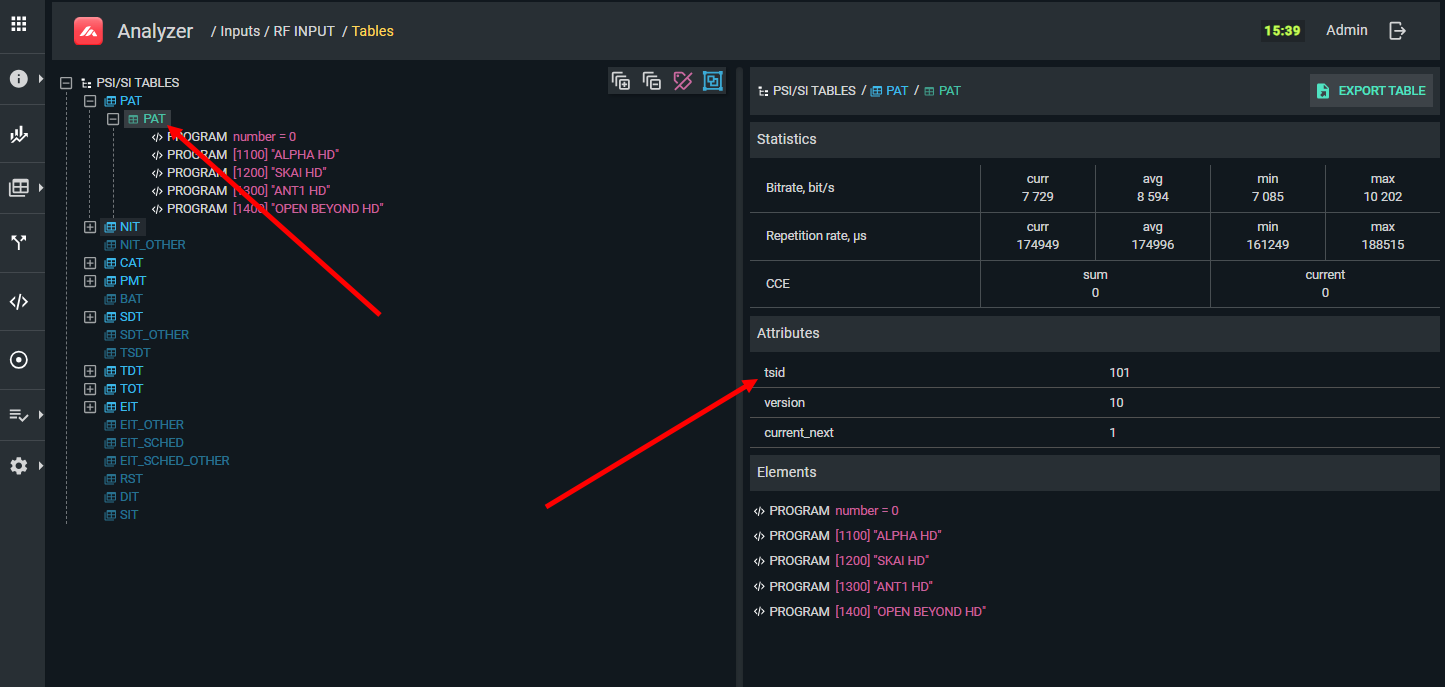
Open PAT and note the TS ID — this is the transport stream ID of the current stream.
-
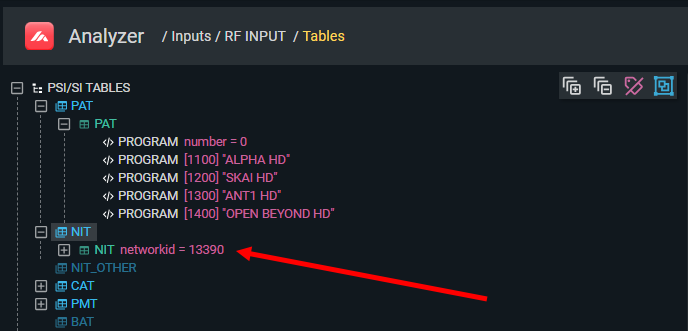
Open NIT and note the Network ID.
-
Open the EPG screen and verify the EIT entries carry the same TS ID and Original Network ID. The EPG screen shows these fields for easy cross-checking:
If the values differ, the multiplexer or EPG server is misconfigured.
Step 2: Check EIT transmission timing
EIT tables are large and generate significant bitrate (potentially 1 Mbps or more). Operators often increase the EIT transmission interval to conserve bandwidth. Verify EIT timing on the PSI/SI screen:
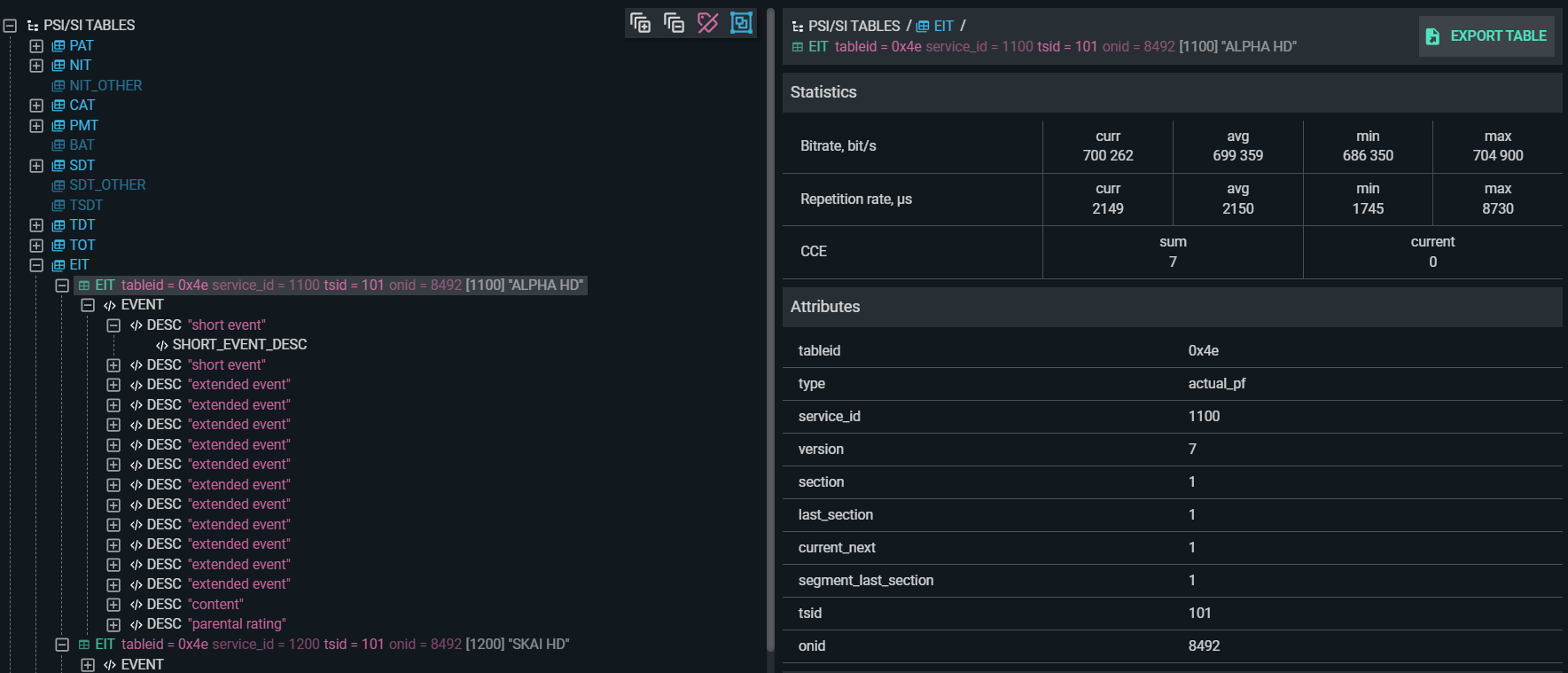
Or check the bitrate on the PID statistics screen with a filter for PID 18 (0x12):
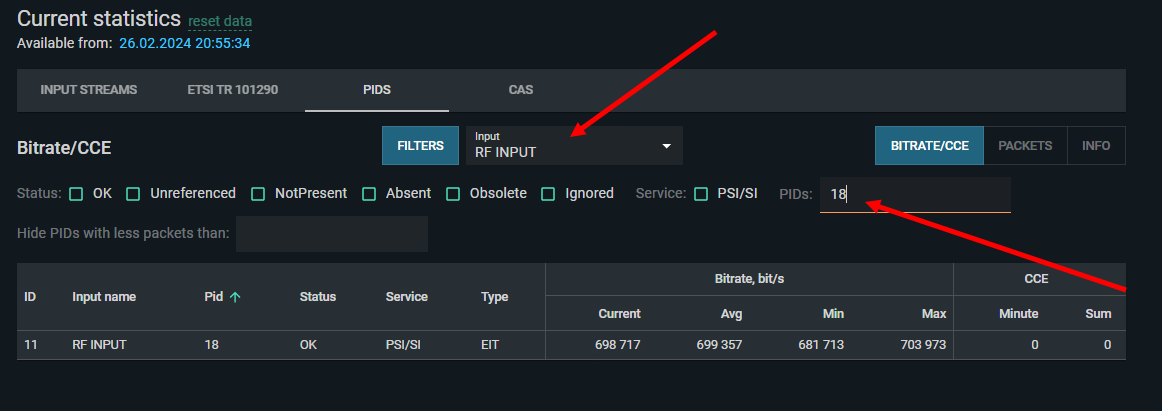
- EIT_actual sections should arrive within 25 ms to 2 s.
- EIT_other sections should arrive within 25 ms to 10 s.
- Both section 0 and section 1 of EIT_actual must be present (EIT_pf_error if either is missing).
Step 3: Check EIT version numbers
If EPG appears correct in TS Analyzer but is stale on subscriber devices, the problem is likely that the set-top box is not detecting the EIT version number change and refreshing its cache. TS Analyzer always reflects the current stream state without caching, making it straightforward to verify that the version number did change after an EPG update. If the analyzer shows the new version but the set-top box still shows old EPG data, the device has a caching implementation bug.
ETSI TR 101 290 EIT errors
| Error | Condition |
|---|---|
| 3.6a EIT_actual_error | EIT_actual section 0 or 1 absent for more than 2 seconds, or transmitted too frequently |
| 3.6b EIT_other_error | EIT_other sections absent for more than 10 seconds |
| 3.6c EIT_PF_error | Either section 0 or section 1 is missing from EIT_actual |