PES Headers and Encoder Monitoring
PES header inspection
Packetized Elementary Stream (PES) headers carry metadata about each access unit — timing, stream type, flags, and encoding parameters. Most subscriber devices ignore PES headers entirely to save processing resources. However, when a service has decoding problems that are not explained by CCE, PCR, or PTS errors, PES header fields are worth checking.
PES header information is only available for unscrambled streams — encryption covers the PES header along with the payload.
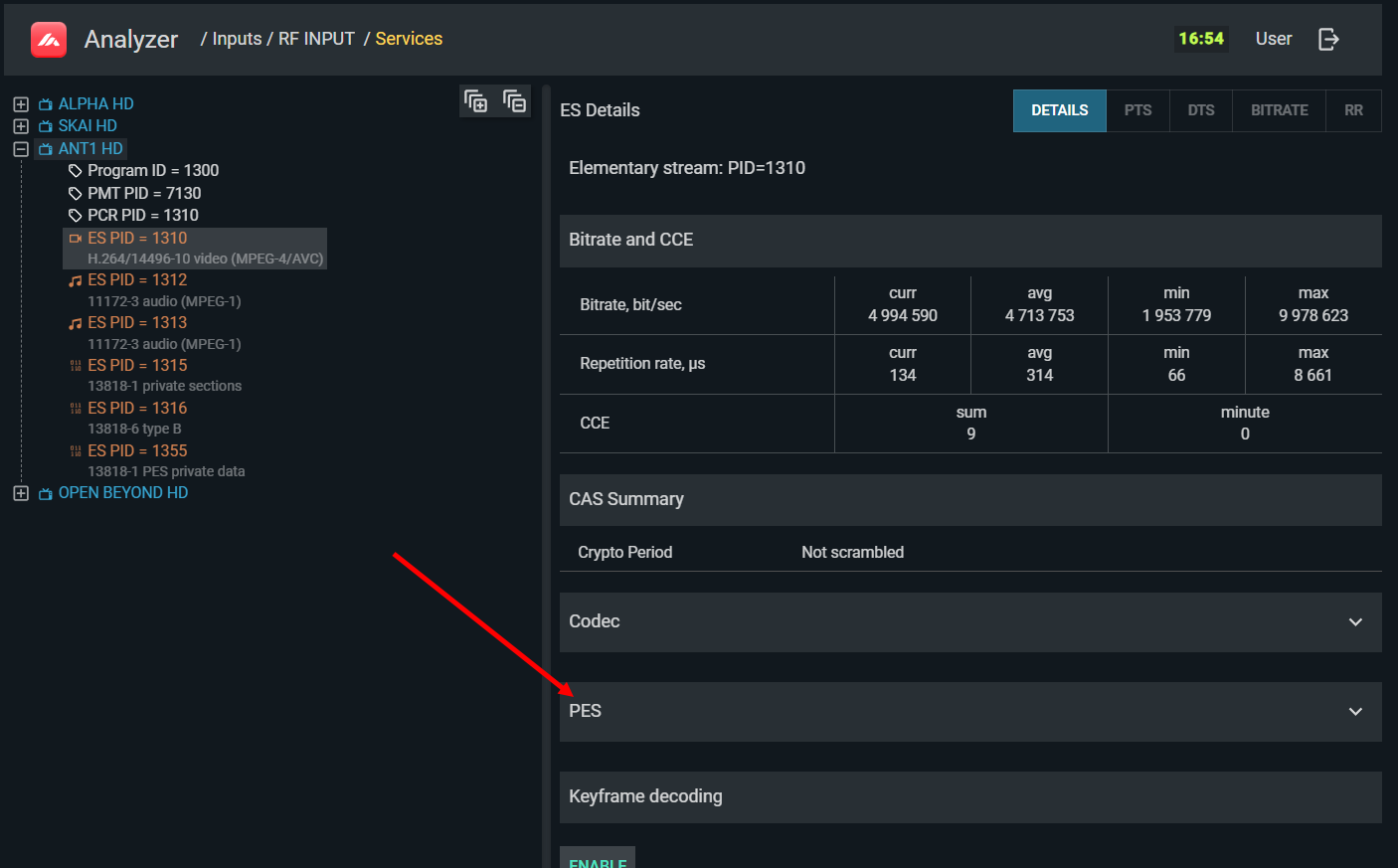
Navigate to the service's elementary stream in the service tree and select the PES tab to view header fields. The position of the PES section in the interface:
Full PES header field view:
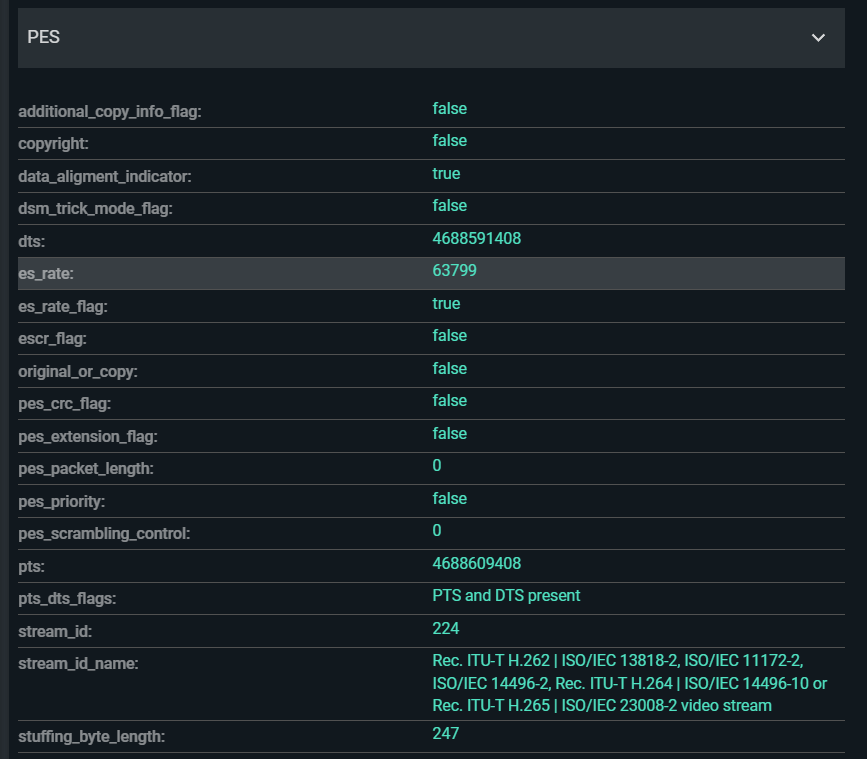
Key PES header fields
| Field | Normal value | Impact if wrong |
|---|---|---|
stream_id |
Must match the actual stream type (video/audio) per ISO 13818-1 Table 2-22 | Decoder may not process the stream |
stream_id_name |
Descriptive name derived from stream_id | Verify it matches the expected stream type from the multiplexing scheme |
PTS_DTS_flag |
Must be present | If absent, decoder cannot synchronize presentation timing |
PTS |
Within the time scale set by PCR | Verify correctness per Bitrates & Timestamps |
DTS |
Present for video with B-frames; earlier than PTS | Decoder must receive data before it can decode it |
PES_packet_length |
For video streams, usually 0 (unbounded) | Incorrect non-zero values can cause periodic decoding errors |
data_alignment_indicator |
Consistent with actual packet structure | Mismatch causes periodic or permanent decoding failure |
PES_scrambling_control |
0 for modern CAS (Simulcrypt) | Non-zero indicates PES-level scrambling, not supported by Simulcrypt — device may report signal encrypted even when it is not |
ESCR_flag |
Must be 0 | If 1, the ES uses its own synchronization scale; most devices cannot handle this, with effects similar to missing PCR |
ES_rate |
Must not be 0 | Zero is a prohibited value; some decoders may reject the stream |
DSM_trick_mode_flag |
Must be 0 | A value of 1 is non-standard and can theoretically cause decoding failures |
PES_CRC_flag |
Should be 0 | CRC in PES is rarely used in DTV; if unintentionally set, disable in the encoder |
PES_extension_flag |
Should be 0 | PES extensions are rarely used; if unintentionally set, disable in the encoder |
stuffing_byte_length |
Present for CBR elementary streams | Stuffing is used to equalize bitrate within the ES |
copyright |
1 if copyright-protected content | Informational; no impact on decoding |
original_or_copy |
1 = original, 0 = copy | Informational |
PES_priority |
Usually ignored by decoders | Some decoders may deprioritize or ignore a stream based on this flag |
Encoder compression parameters
For elementary streams carrying compressed video or audio, TS Analyzer provides an Encoder section in the ES properties panel:
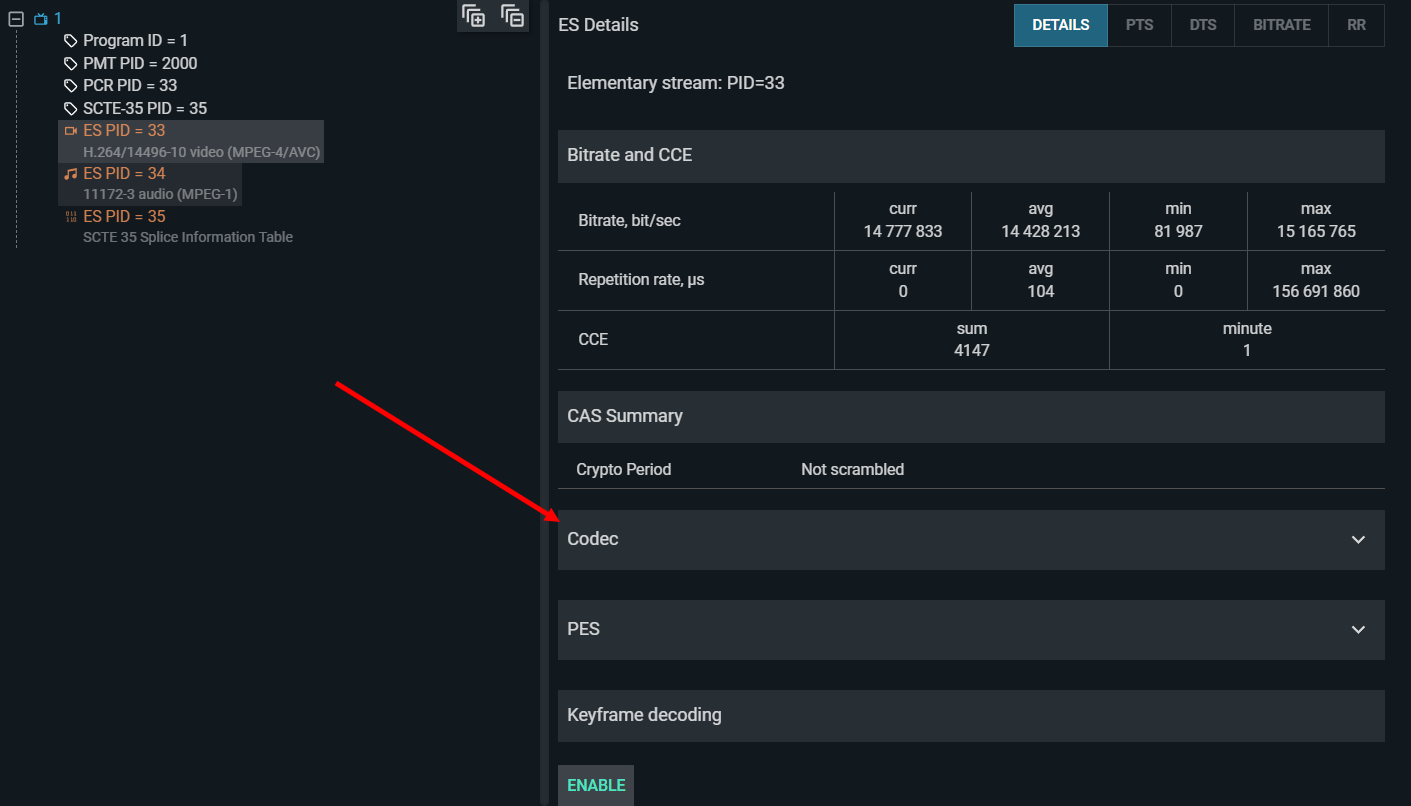
This shows compression parameters extracted from the bitstream itself. An example of compressed video properties:
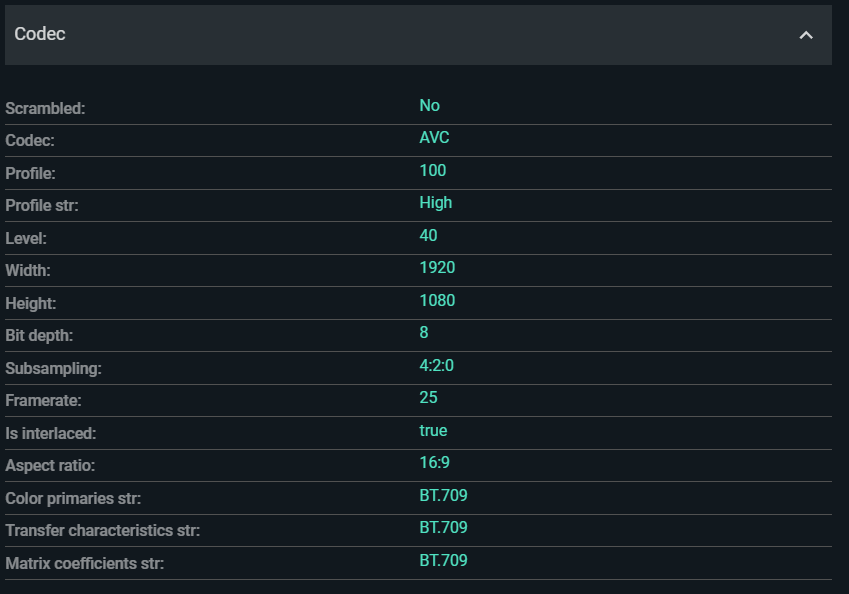
Check these values against the multiplexing scheme and encoder settings after any encoder reconfiguration:
- Video codec and profile/level — must match the decoder capabilities of the target subscriber devices.
- Aspect ratio and frame rate — incorrect values cause incorrect display scaling or frame cadence.
- Bit depth / chroma format — must be supported by downstream devices.
- Audio codec, sample rate, and channel configuration — mismatches cause silent or distorted audio.
If compression parameters do not match the encoder's configured settings, the encoder itself may have a fault, or the stream may have been re-encoded by an unexpected device in the chain.