PSI/SI Monitoring
Standard PID assignments
PSI/SI tables are transmitted on well-known PIDs. The TS Analyzer uses these PIDs along with each table's table_id field to identify table types. If an expected table is missing from the table tree, check whether the multiplexer is transmitting it on a non-standard PID.
| Table | Standard PID | Notes |
|---|---|---|
| PAT | 0 | Always on PID 0. |
| PMT | Defined in PAT | Each service's PMT PID is listed in PAT. |
| CAT | 1 | Present only when scrambling is in use. |
| TSDT | 2 | Rarely used. |
| NIT | 16 (0x10) | NIT_actual (table_id 0x40) and NIT_other (0x41). |
| SDT | 17 (0x11) | SDT_actual (0x42) and SDT_other (0x46). |
| EIT | 18 (0x12) | All EIT sections (0x4E–0x6F). |
| RST | 19 (0x13) | Rarely used. |
| TDT / TOT | 20 (0x14) | TDT (0x70) and TOT (0x73). |
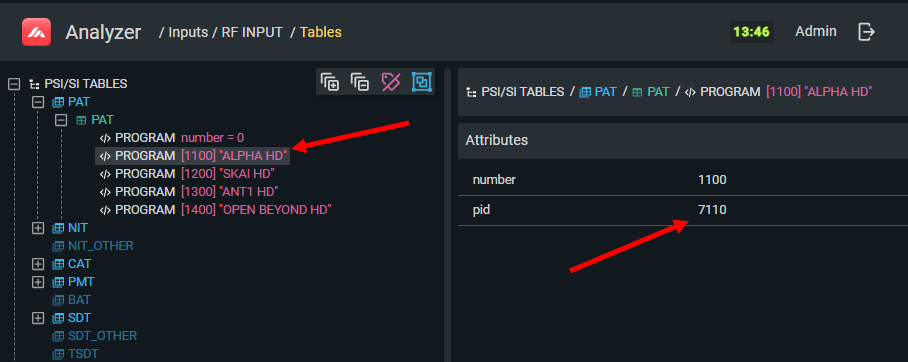
The PMT PID for each service is indicated in the PAT. Use the PSI/SI screen to find it:
Manual PSI/SI analysis
ETSI TR 101 290 errors catch timing and structural violations, but they do not check the content of tables — whether Network IDs match, whether PMTs reference the correct PIDs, or whether EIT TS IDs are consistent. This must be done manually.
General procedure
- Identify the PID for the table you want to inspect (from the table above or from the PAT).
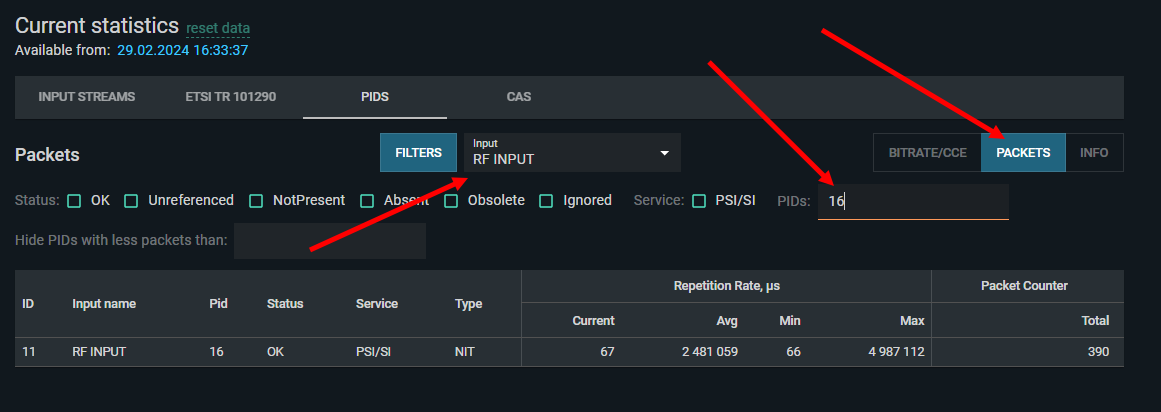
- In the Statistics view, select the input and set the PID filter to that value. Open the Packets tab.
-
Check the repetition rate — verify minimum and maximum intervals are within the ranges required by the standard (see SI Repetition Reference).
-
Open the PSI/SI screen to inspect the table content.
Checking NIT consistency
A common source of EPG and channel-scanning problems is a mismatch between the Network ID in the NIT and the Network IDs referenced in EIT and SDT tables.
-
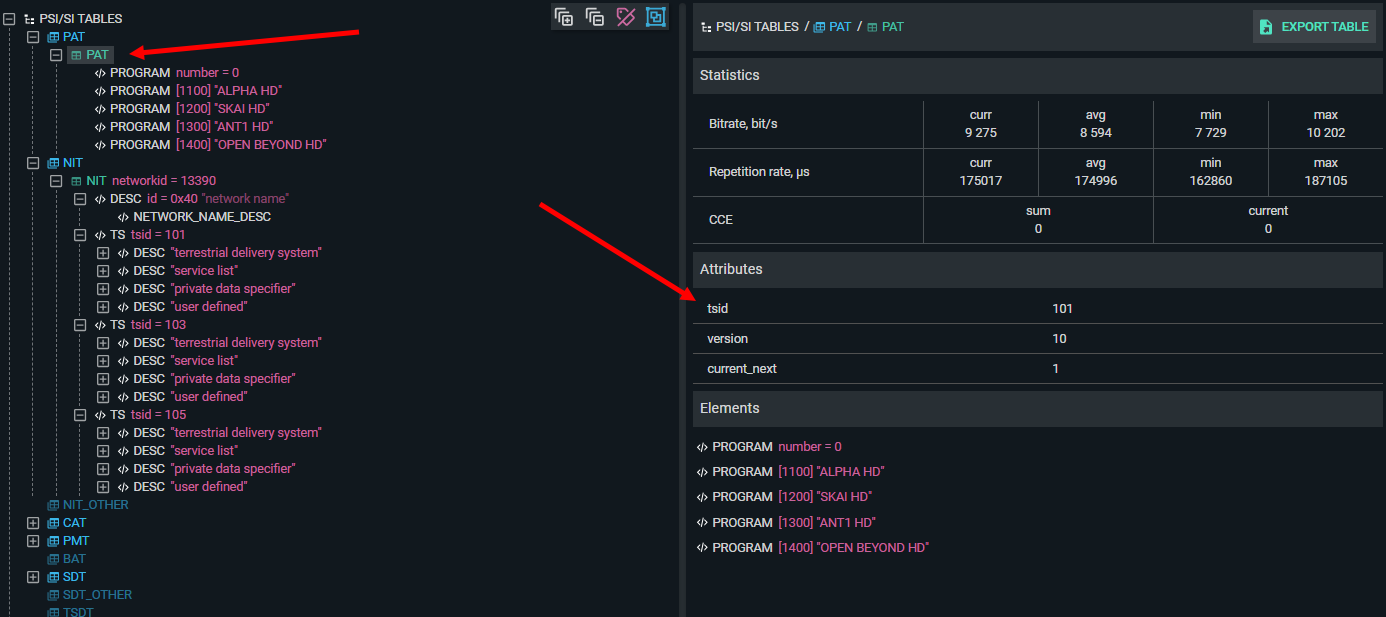
Open PAT and note the TS ID of the current stream.
-
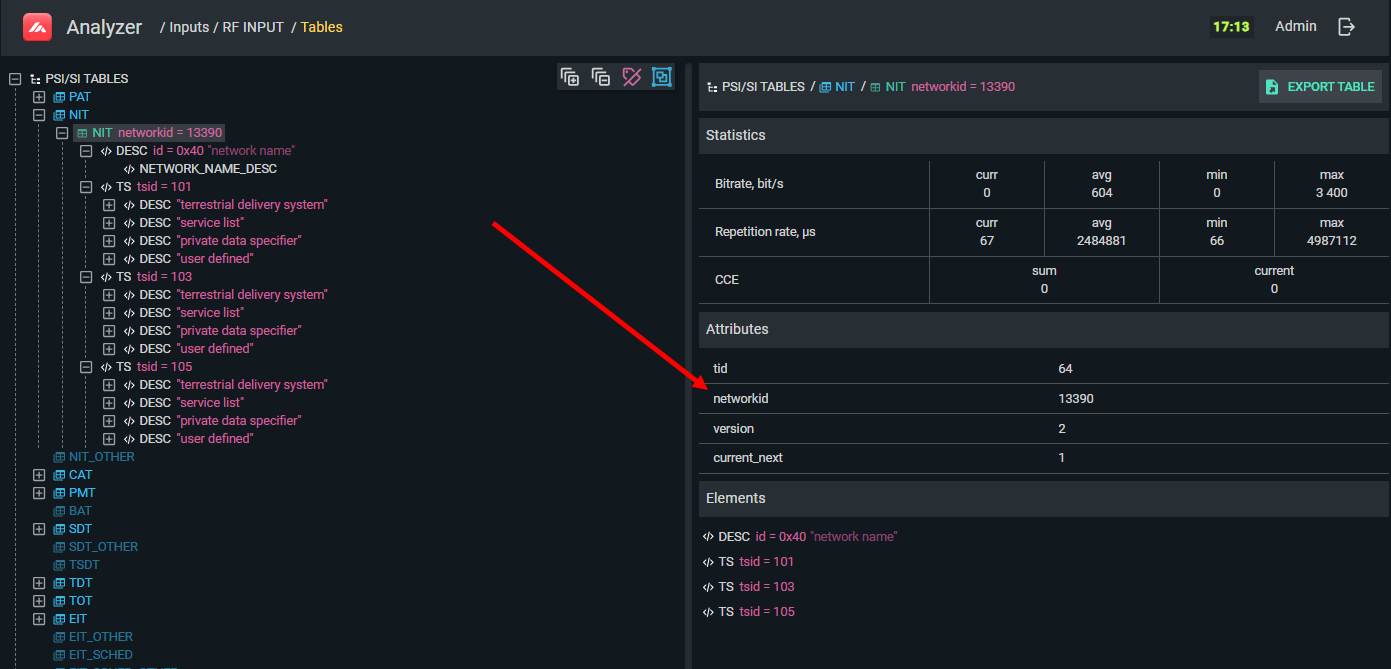
Open NIT — confirm it references this TS ID and check the Network ID.
-
Open SDT and EIT — verify they carry the same TS ID and Network ID.
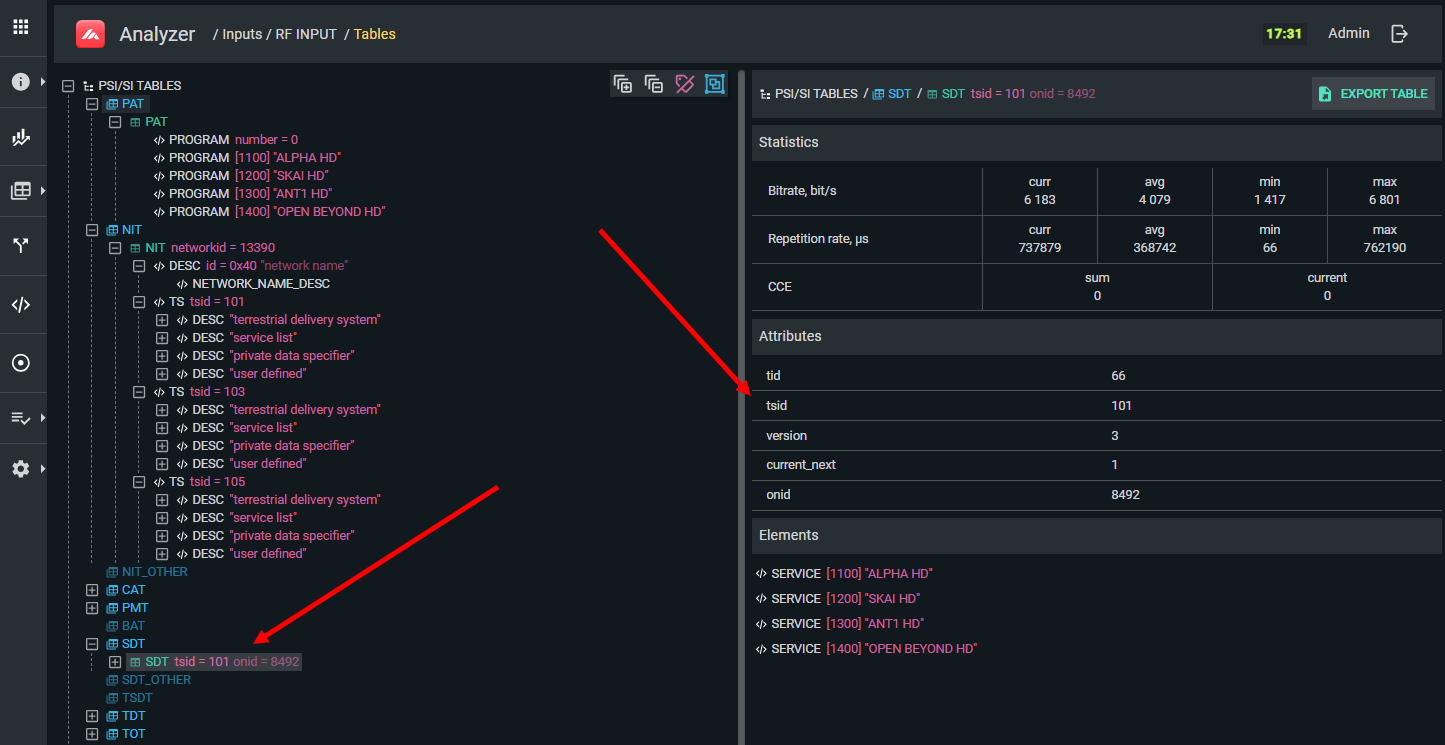
If the IDs do not match, subscriber devices may fail to display EPG, show incorrect channel names, or fail to recognize the stream as a valid DVB signal.
Checking PMT
For each service, the PMT must list all the component PIDs (video, audio, subtitles, etc.) and identify the PCR PID. After any multiplexer reconfiguration:
- Open the PSI/SI screen and navigate to the affected service's PMT.
- Verify that all expected component PIDs are listed with the correct stream types.
- Verify the PCR PID is set correctly (usually the video PID for CBR services).
- Cross-check against the multiplexing scheme.
PSI/SI caching and version numbers
PSI/SI tables include a version number field. When a table's content changes, the version number increments and subscriber devices are expected to refresh their cache. In practice, some devices refresh only at power-on, which can result in stale service information persisting after a multiplexer reconfiguration.
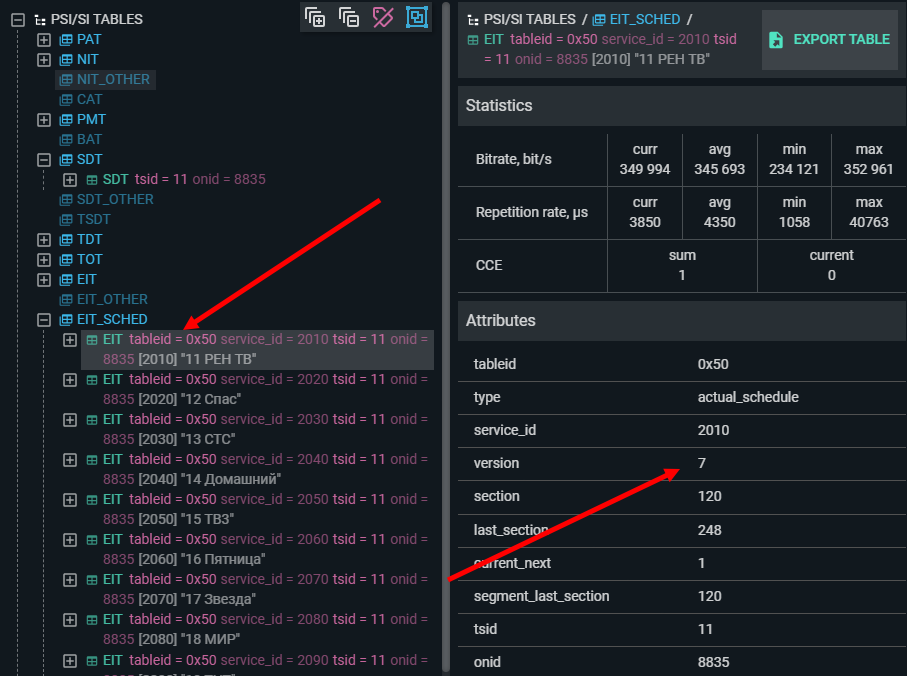
Symptoms of a caching problem (versus a missing table) include:
- Incorrect or outdated service names that persist after a change
- Channels showing in the list that have been removed from the multiplex
- New services not appearing until the set-top box is rebooted
- Descrambling failures that resolve after a reboot
TS Analyzer does not cache PSI/SI — it always shows the current values from the stream. This makes it useful for testing how set-top boxes respond to version changes: apply a change in the multiplexer, observe TS Analyzer confirm the new version immediately, and then check whether subscriber devices update correctly.
If symptoms disappear after rebooting the set-top box, the problem is likely a device-side caching bug. File a complaint with the manufacturer with the TS Analyzer data as evidence.