Level 1 — Critical Errors
Level 1 errors indicate that service delivery is impaired or impossible. When any Level 1 error is active, it takes priority over all other diagnostics — other errors are secondary until Level 1 errors are resolved.
1.1 TS_sync_loss
Abbreviation: SYNC_LOSS
Frequency: Common
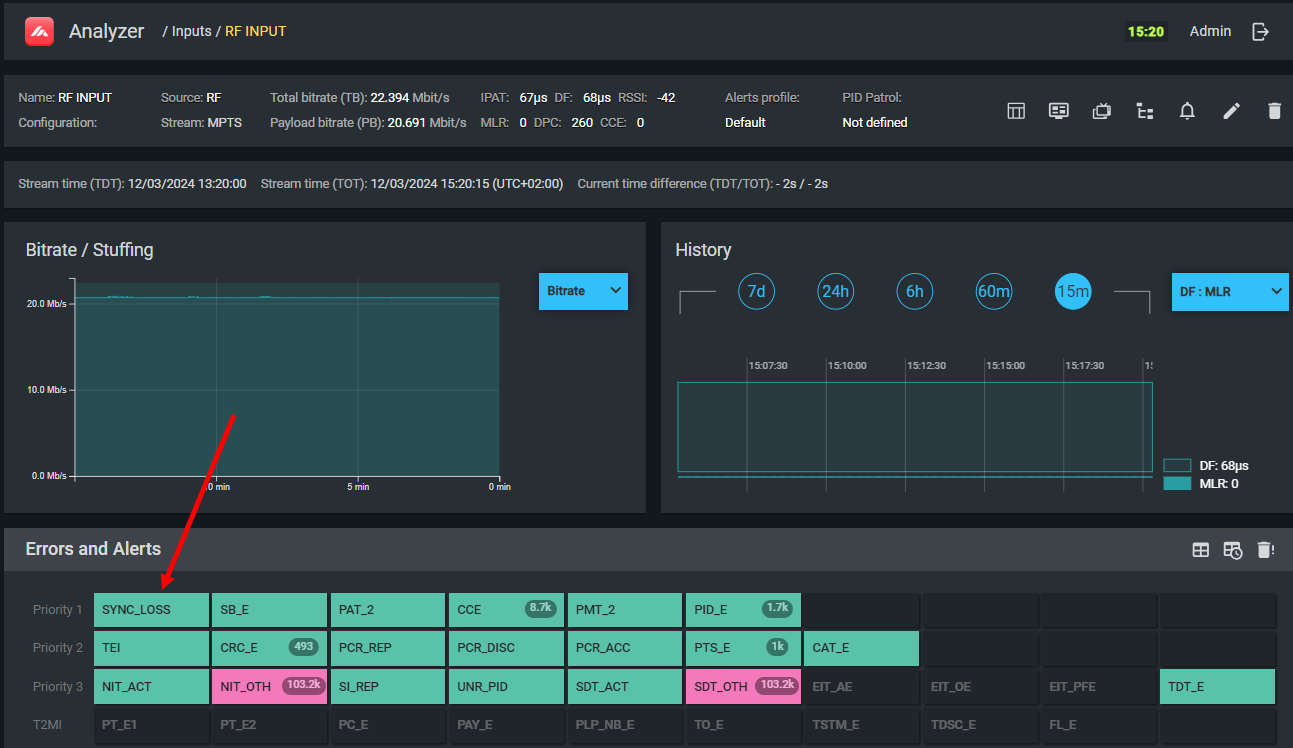
What it means
The TS decoder has lost synchronization with the transport stream. Synchronization is the ability to find the start of each 188-byte TS packet by locating the repeating sync byte (0x47). Without synchronization, the stream cannot be decoded at all.
- Inactive — stream is synchronized and all packets are received.
- Active — stream is absent, corrupted, or completely disrupted.
- Randomly blinking — intermittent packet loss; stream is unstable.
- Periodically blinking — periodic stream failure, typically caused by buffer overflow/underflow or periodic RF interference.
How it works
The analyzer confirms synchronization by finding the value 0x47 repeating every 188 bytes. Five consecutive valid sync bytes are required to establish synchronization (per ISO 13818-1). If a single byte in sequence is wrong, the indicator triggers. It clears when five consecutive valid sync bytes appear again. If the stream stops entirely, a timeout triggers the indicator within less than one second.
Causes
- RF signal loss or severe degradation (low SNR, weak signal, interference)
- Physical connection failure (cable, connector)
- Insufficient channel bandwidth or network outage
- Buffer overflow in a network device
- Corrupted stream at the source
Recommendations
- Check whether the error is present at the signal source (e.g., satellite receiver output). If yes, the problem is upstream.
- Work forward through the signal chain until you find the first point where the error appears.
- For RF: check SNR, BER, and signal level (see RF Signal Monitoring).
- For IP: check network connectivity, MTU, and multicast routing.
Relationship to other errors
While TS_sync_loss is active, all other ETSI TR 101 290 errors are meaningless — the stream is absent or completely corrupt. Do not investigate other errors until sync is restored.
1.2 Sync_byte_error
Abbreviation: SB_E
Frequency: Very rare
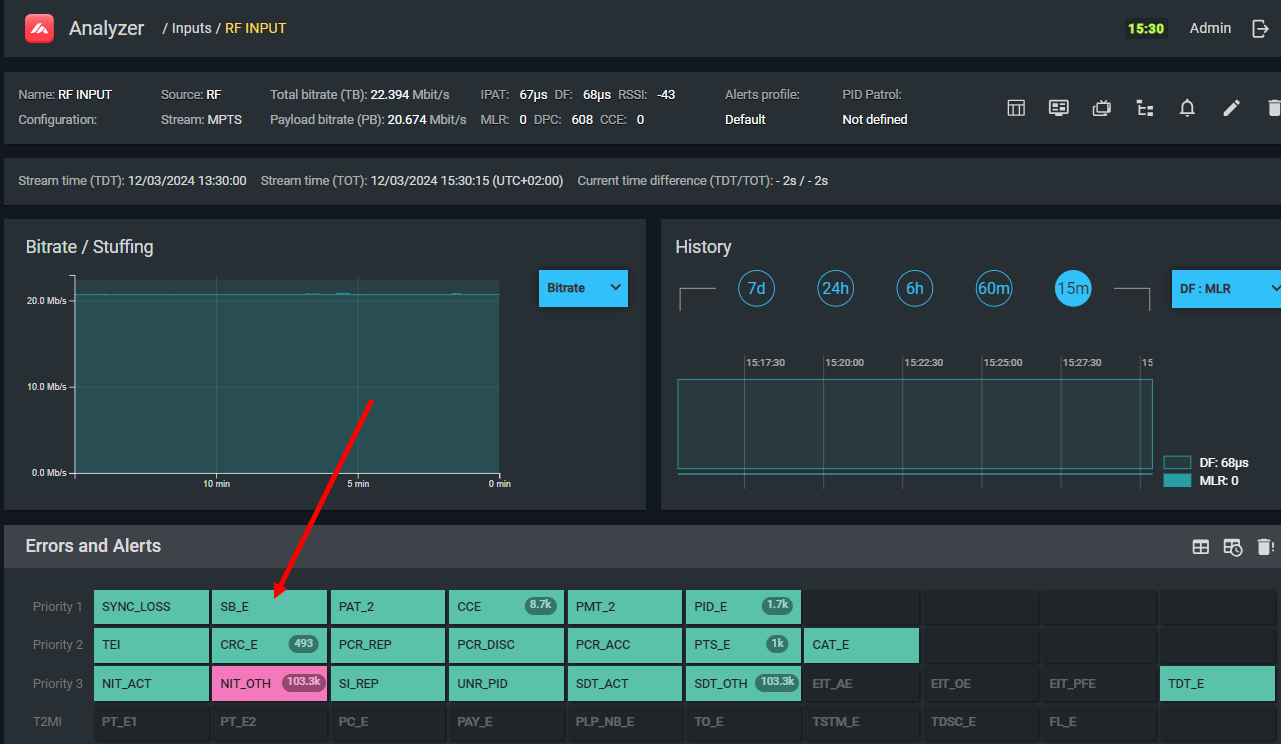
What it means
The stream is synchronized (TS_sync_loss is not active), but the sync byte repeating every 188 bytes has a value other than the standard 0x47.
Causes
- Software bug in the multiplexer generating the stream
- Interference causing the sync byte to be consistently corrupted (in this case TS_sync_loss will usually also be active)
Recommendations
- First verify TS_sync_loss and CCE are not active — if they are, clearing them usually clears this error too.
- If Sync_byte_error appears in isolation, restore the multiplexer software (restart, firmware update).
1.3 PAT_error
Status: Deprecated. Use 1.3a PAT_error_2 instead.
1.3a PAT_error_2
Abbreviation: PAT_2
Frequency: Common
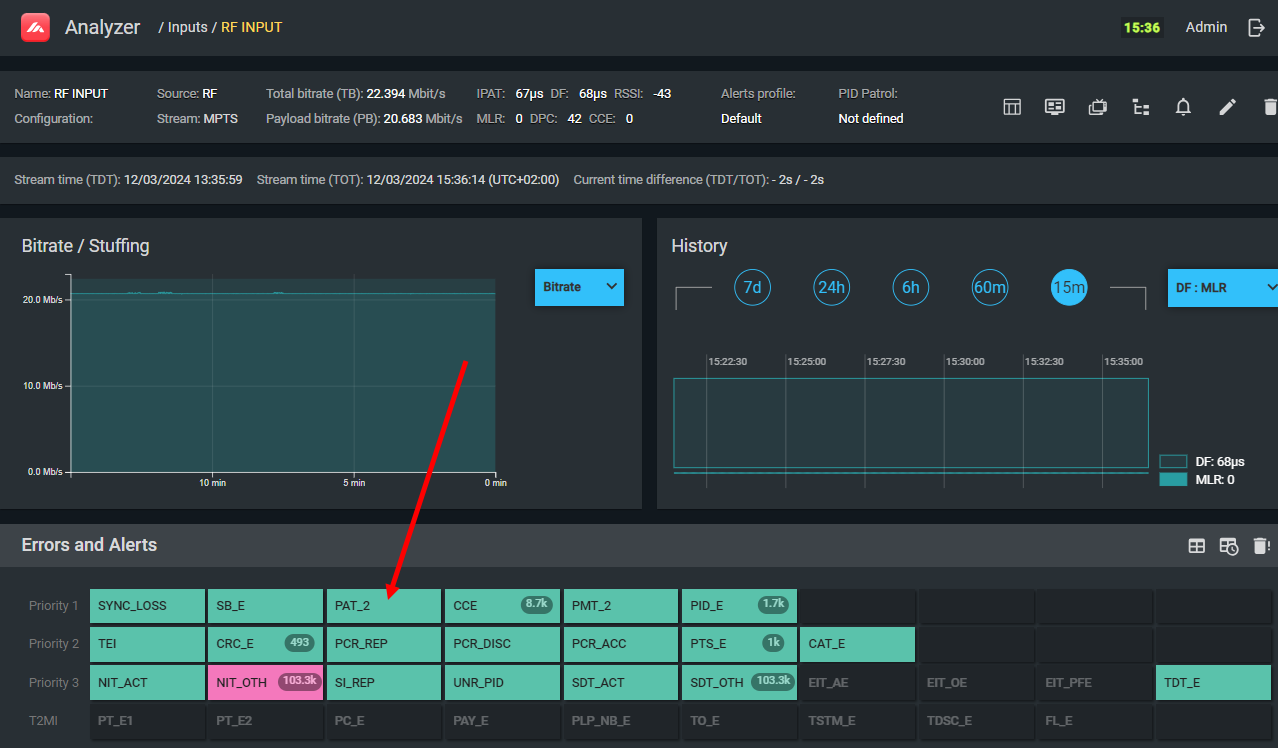
What it means
The Program Association Table (PAT) on PID 0 is absent, arriving too infrequently, or the encryption flag is incorrectly set on PAT packets. Without PAT, subscriber devices have no way to discover which services exist in the stream or where their PMTs are.
Activation conditions
The error is activated when any of the following is true:
- No section with table_id = 0x00 has appeared on PID 0 within the last 0.5 seconds.
- A "foreign" section (table_id ≠ 0x00) appears on PID 0.
- The encryption flag is set in the TS packet header of PID 0 (even if PAT is not actually encrypted).
Causes
- Multiplexer software fault
- PAT transmission interval intentionally set longer than 0.5 s (some operators extend this on satellite to save bandwidth)
- Scrambler incorrectly configured to encrypt PID 0
Symptoms
- Services absent despite transport stream being present (TS_sync_loss not active)
- Inability to switch between services
- Service list empty or showing stale information
- New services not appearing, removed services not disappearing
Recommendations
- If extending PAT interval is intentional and causes no subscriber-visible issues, no action is required. If service list problems are observed, reduce the interval to below 0.5 s.
- If the encryption flag is incorrectly set: the multiplexer or scrambler software has a fault and must be corrected.
Relationship to other errors
If PAT is absent, PMT_error_2 will appear for all services (because their PMT PIDs are unknown), and Unreferenced_PID (3.4) will appear for all non-standard PIDs.
1.4 Continuity_count_error
Abbreviation: CCE
Frequency: Very common
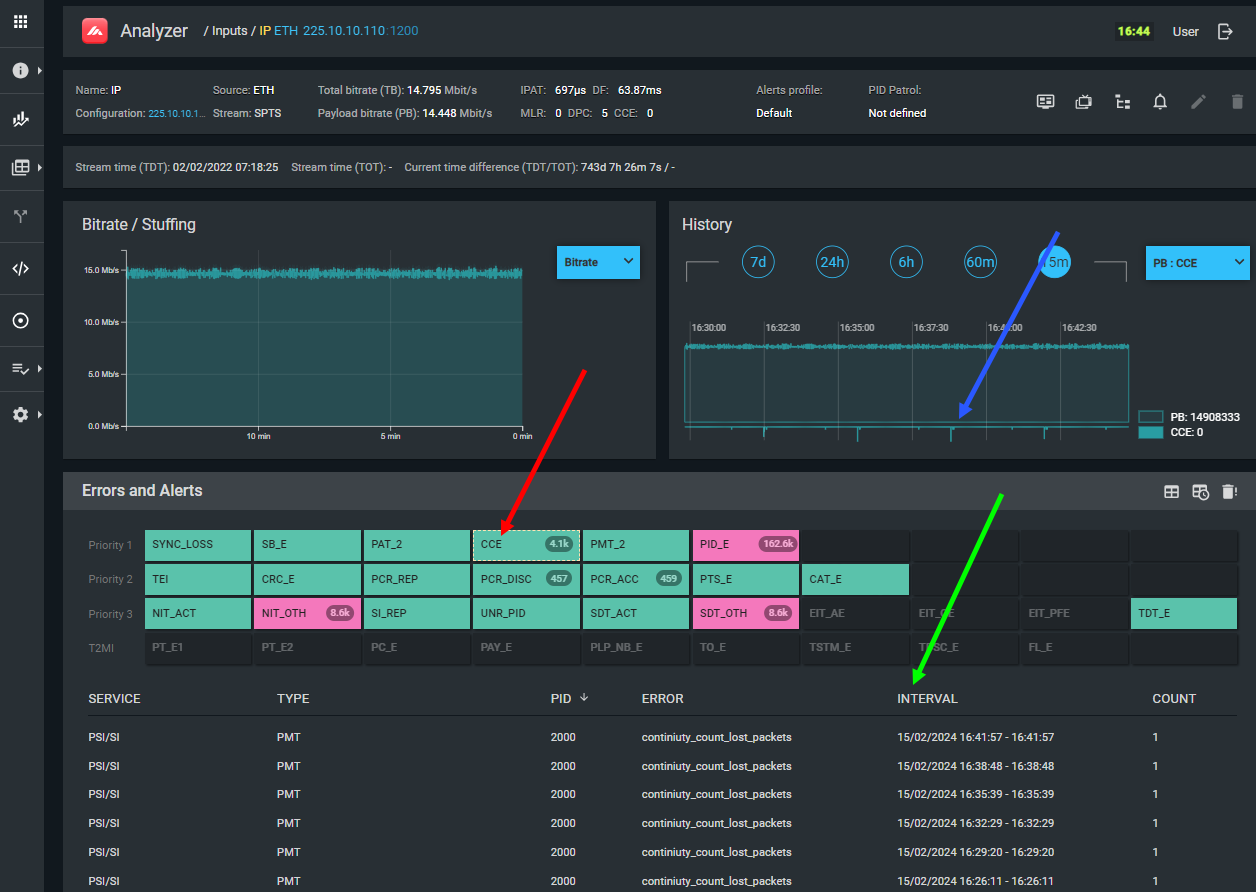
What it means
One or more TS packets have been lost or duplicated on a PID. The cyclic continuity counter (0–15) in consecutive packets of the same PID has broken sequence.
CCE is the single most diagnostic error in transport stream monitoring. Its scope (which PIDs are affected) directly reveals where in the signal chain the problem lies. See Error Contexts for the full analysis framework.
The error log (visible by clicking the CCE indicator) shows the specific PID and whether the error was caused by packet loss or packet repetition. The timeline graph shows total CCE count over time, useful for identifying whether errors are sporadic or periodic.
How it works
Each PID carries a 4-bit counter that increments by 1 with each packet. The analyzer verifies the counter increments correctly. When the sequence breaks, the analyzer calculates how many packets were missed and increments the CCE counter accordingly.
Causes and remediation
| Symptom pattern | Likely cause | Action |
|---|---|---|
| Sporadic CCE on all PIDs | RF interference, low SNR, insufficient channel bandwidth, bad connectors, bad grounding | Check RF quality; check physical connections; verify channel bandwidth |
| Periodic CCE on all PIDs | Looped playout, insufficient receiver/transmitter buffer, periodic RF interference, network jitter | Check RF for interference; check buffer sizes; analyze DF in MDI |
| Sporadic CCE on one service's PIDs | Faulty encoder or receiver feeding that service; degraded communication link for that service | Check the source device for the affected service |
| Periodic CCE on one service's PIDs | Network jitter on the path carrying that service | Check jitter on the specific path; review buffer sizes |
| CCE on a single PID | Faulty device generating that specific PID (EPG server, CAS server, encoder) | Identify and inspect the device responsible for that PID |
| CCE due to packet repetition | Faulty multiplexer or network switch repeating packets; multicast loop | Restart or repair the multiplexer; check for network loops |
Relationship to other errors
CCE can trigger virtually any other error as a secondary effect. Always resolve CCE before investigating other errors:
- CCE on PID 0 → PAT_error_2
- CCE on PMT PIDs → PMT_error_2
- CCE on EIT PID → EIT errors
- CCE on ECM/EMM PIDs → CAS access failures
1.5 PMT_error
Status: Deprecated. Use 1.5a PMT_error_2 instead.
1.5a PMT_error_2
Abbreviation: PMT_2
Frequency: Common
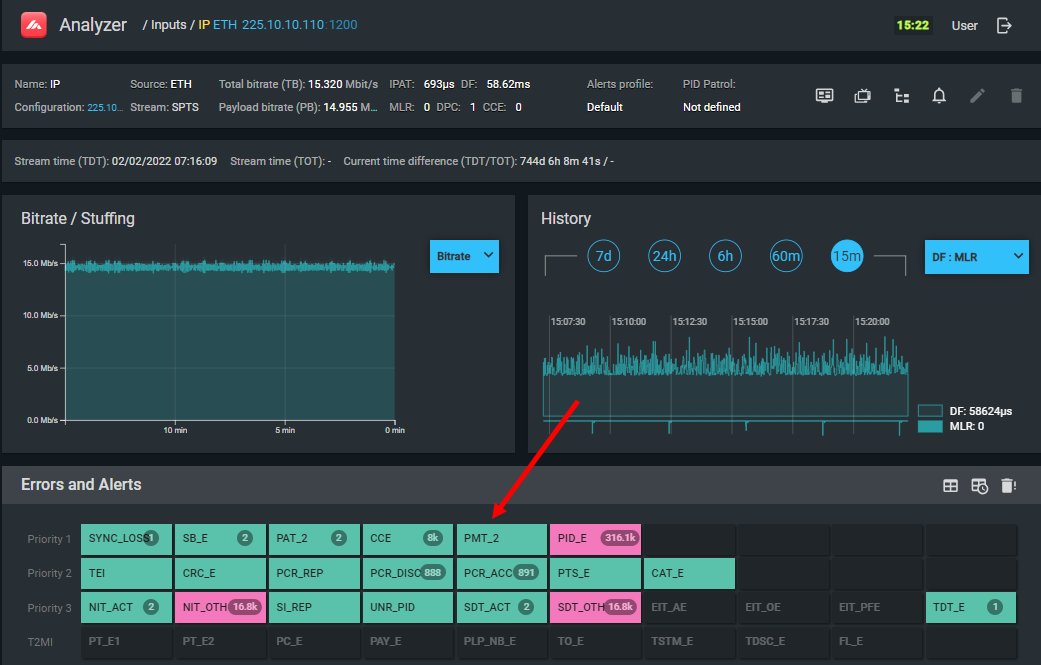
What it means
A Program Map Table for one or more services is absent, arriving too infrequently, or scrambled. PMT_error_2 affects only the service(s) whose PMT is problematic — not the entire stream.
Activation conditions
- PMT sections are absent or arriving with intervals longer than 0.5 seconds.
- A PMT section is scrambled (encrypted).
Note: if PAT is absent, PMT_error_2 is not generated, because without PAT the PMT PIDs are unknown.
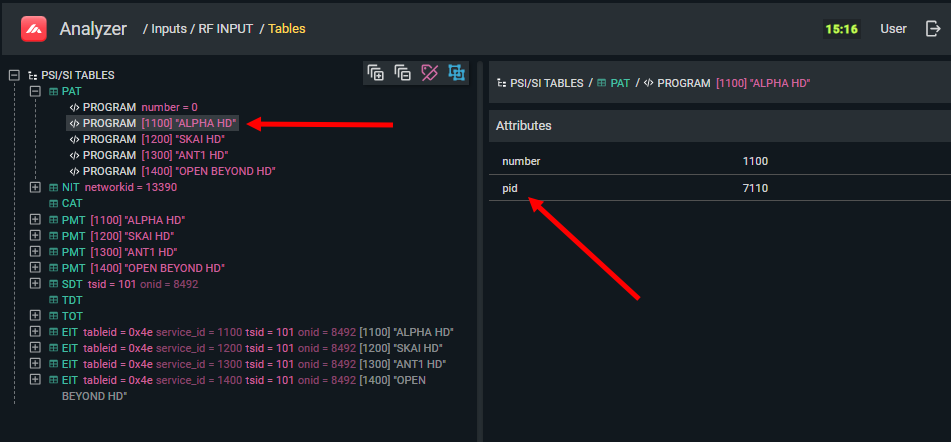
To verify which PID carries the PMT for a specific service, open the PSI/SI screen, navigate to PAT, and select the service name. The PID is shown in the Attributes panel on the right:
Causes
- Multiplexer software fault
- PSI/SI generator misconfiguration
Symptoms
- Specific service unavailable despite stream being present
- No image or sound on the affected service
- Unreferenced_PID errors for all component PIDs of the affected service
Recommendations
Restart the service configuration on the multiplexer. If the problem persists, reboot or re-flash the multiplexer.
1.6 PID_error (PID Patrol)
Abbreviation: PID_E
Frequency: Common (when configured)
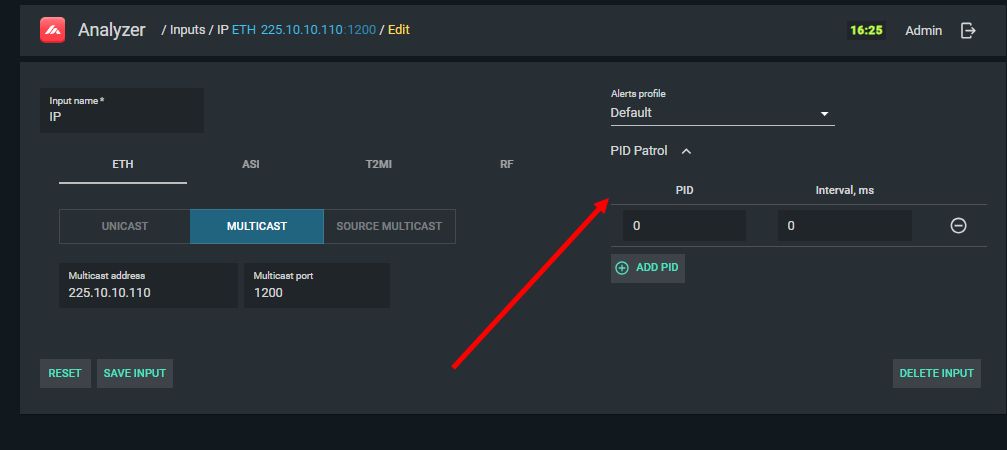
PID Patrol configuration panel for setting up PID_error monitoring:
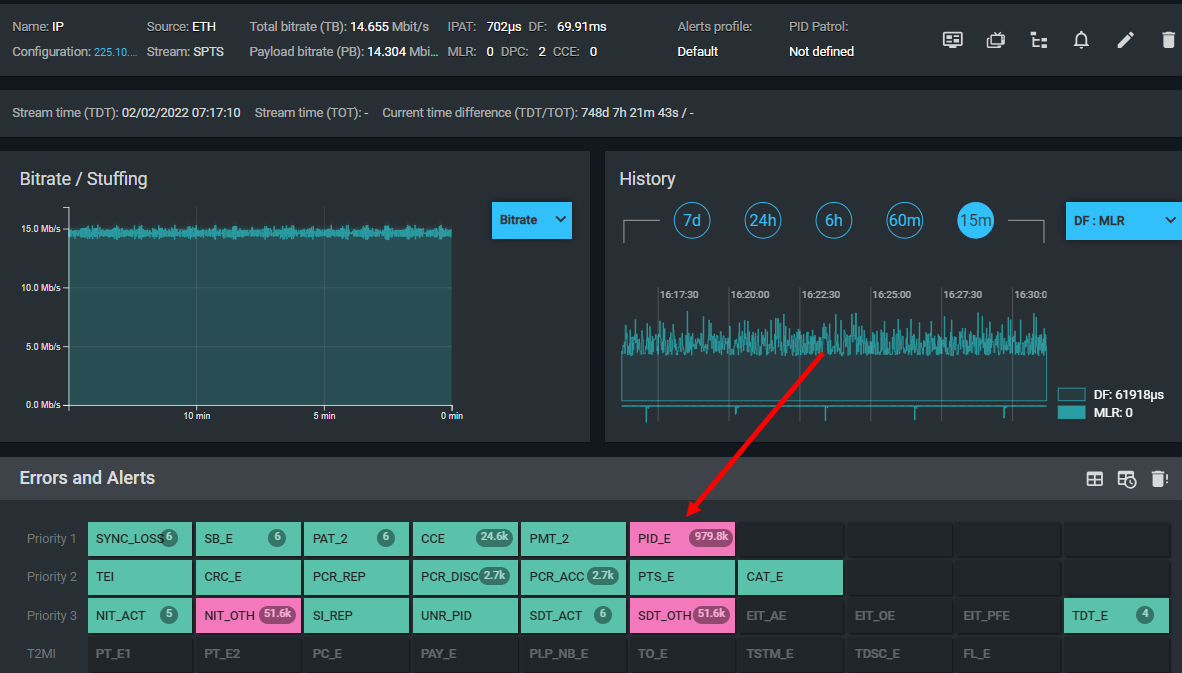
PID_error indicator in the TS Analyzer interface:
What it means
A PID specified in the PID Patrol configuration has not appeared within the configured maximum interval.
PID Patrol is a user-configurable function: you specify a PID and a maximum expected inter-packet interval. If that interval is exceeded — or if the PID is absent entirely — PID_error is generated.
Configuration
Open the input configuration panel and locate the PID Patrol section. Specify:
- The PID to monitor
- The maximum allowable interval between consecutive packets of that PID
Use cases
- Monitoring upgrade-over-the-air (OTA) PIDs that should always be present but whose errors would otherwise go unnoticed
- Verifying correct PID injection intervals for control signals (e.g., emergency alert systems)
- Tracking "floating" PIDs that appear intermittently
Causes of activation
- The monitored PID is not present in the stream
- The PID exists but packets arrive less frequently than configured
- The PID has been filtered out by the multiplexer during remultiplexing
- Equipment generating the PID has failed
Recommendations
Verify that the equipment generating the PID is functioning and that the PID is included in the multiplexer configuration. If the PID is present but the interval is exceeded, check the device generating it and adjust its output rate.