SCTE-35/104 and DTMF
VPlay fully supports splice markers both in detector mode (receiving incoming markers) and in generator mode (inserting markers into output streams). This is a key feature for TV channels with regional ad insertion.
How it works
Incoming stream          VPlay               Output stream
with SCTE markers →  [detection] → [local content splice] → with SCTE markers
                         ↓
                   [marker generation]
                    in output streams
When VPlay receives an "ad break start" marker (Splice Insert), it:
- Interrupts playback of the current content
- Switches to the local ad break from the schedule
- Returns to the incoming stream when the ad break ends or when an "end of break" marker is received
Supported marker formats
Input (detection)
| Format | Transport |
|---|---|
| SCTE-35 | IP TS (UDP, HLS) |
| SCTE-104 | SDI, NDI |
| DTMF | Audio track of the incoming signal (tone markers) |
Output (generation)
| Format | Transport |
|---|---|
| SCTE-35 | UDP/MPEG-TS, HLS |
| SCTE-104 | SDI, NDI |
| AWS SCTE-35 | IP TS for integration with AWS Elemental MediaLive |
Configuring input marker detection
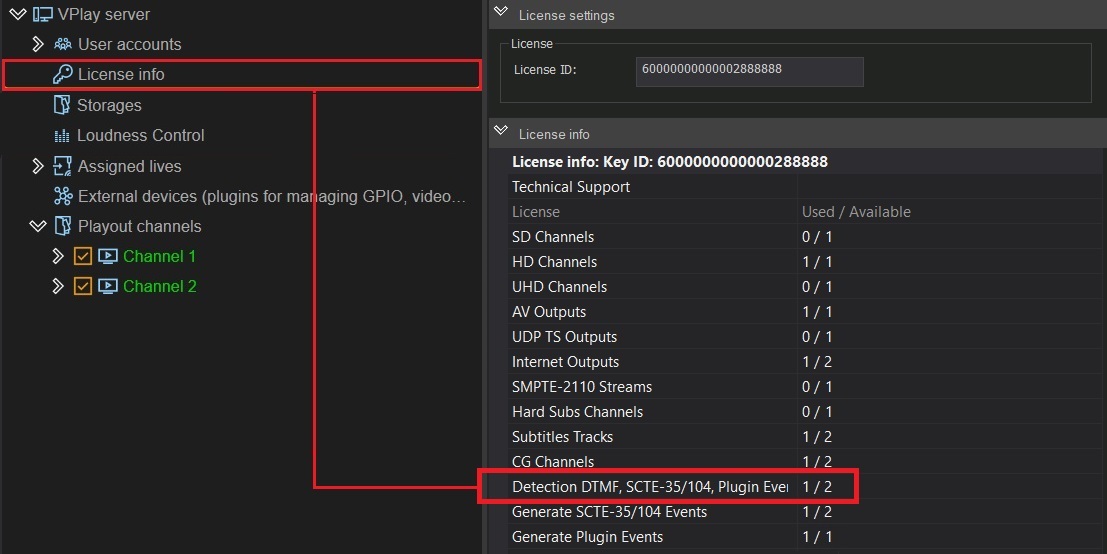
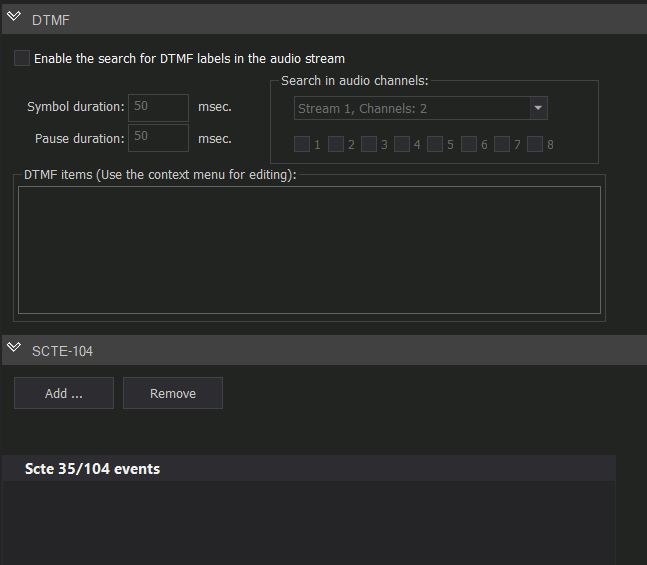
In Server Settings → Channel → SCTE → Input Markers:
| Parameter | Description |
|---|---|
| Enable DTMF detection | Enable detection of DTMF tones in the audio track |
| Enable SCTE-35 | Detect SCTE-35 in the IP TS stream |
| Enable SCTE-104 | Detect SCTE-104 in SDI / NDI |
| Splice mode | Immediate — splice immediately; GOP aligned — splice at a key frame |
| Pre-roll | Look-ahead buffer (ms) for smooth switching |
Splice Mode
- Immediate — switches the moment a marker is received. This can cause artifacts at the transition.
- GOP aligned — the switch waits for the nearest key frame. The transition is clean, with a small delay (up to the GOP size).
GOP aligned is recommended for professional broadcasting.
Configuring output markers
In Server Settings → Channel → SCTE → Output Markers:
VPlay can automatically insert markers into output streams at the start and end of schedule items.
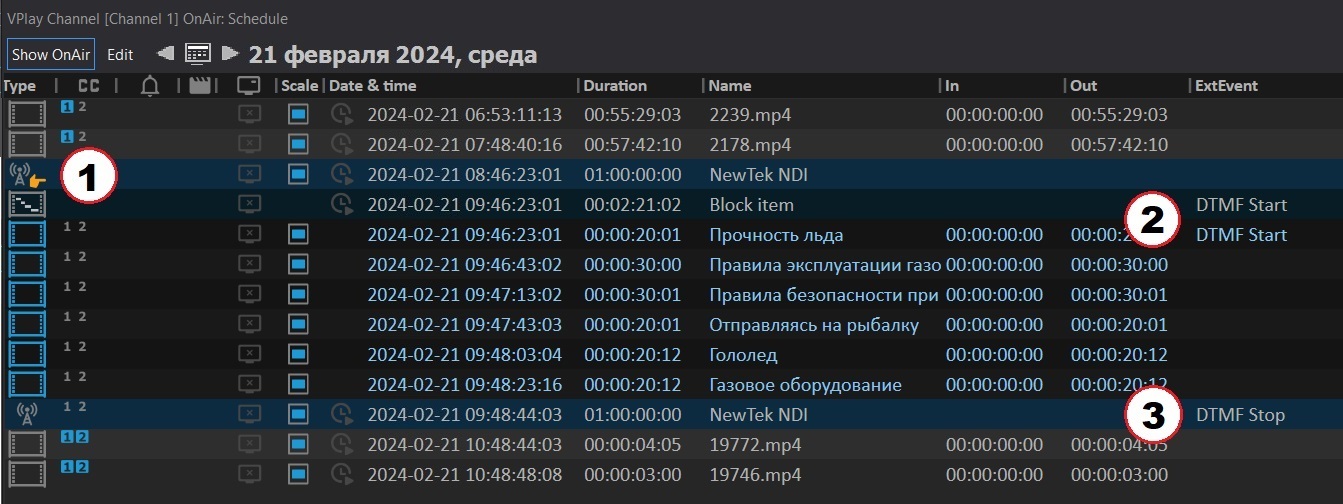
SCTE presets
An SCTE preset is a set of marker parameters assigned to a schedule item:
- Server Settings → SCTE Presets → Add Preset
- Specify the event type (Splice Insert, Time Signal, Chapter Start/End)
- Specify the event ID and any additional parameters
Assigning a preset to a schedule item
In Channel Manager, select an item → Item's Output Events → Add SCTE Event → select a preset → specify the offset from the start of the item.
AWS SCTE-35
For integration with AWS Elemental MediaLive cloud platforms:
- Server Settings → Channel → Outputs → UDP Output → Enable SCTE-35 Events
- Select the format: SCTE-35 Standard or AWS SCTE-35
- AWS SCTE-35 includes additional AWS-specific fields
DTMF
DTMF (Dual-Tone Multi-Frequency) — tone signals carried in the audio track of the incoming stream. They are used in legacy splicing systems.
Configuring DTMF
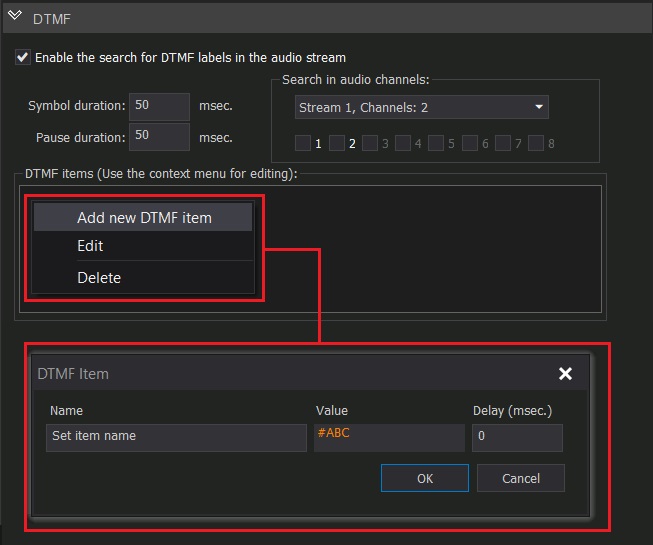
- Server Settings → Channel → SCTE → Input Markers → Enable DTMF
- Define the DTMF code table: which tone corresponds to which event (break start, break end, duration)
- Specify the audio track to use for detection
Input signal redundancy during splicing
When working in splice mode, the incoming stream may be lost. VPlay supports a backup source:
Server Settings → Channel → Live Inputs → Backup Source → specify a backup IP stream or SDI input.
When the primary source is lost in splice mode:
- The current ad break (if active) plays out to the end
- VPlay switches to the backup source
- Marker detection continues on the backup source
Marker monitoring
In Channel Manager, the events column shows all received and sent markers in real time. The timestamp, event type, and ID are recorded in the channel log file.
To view the history: Server Settings → Logs → SCTE Events.